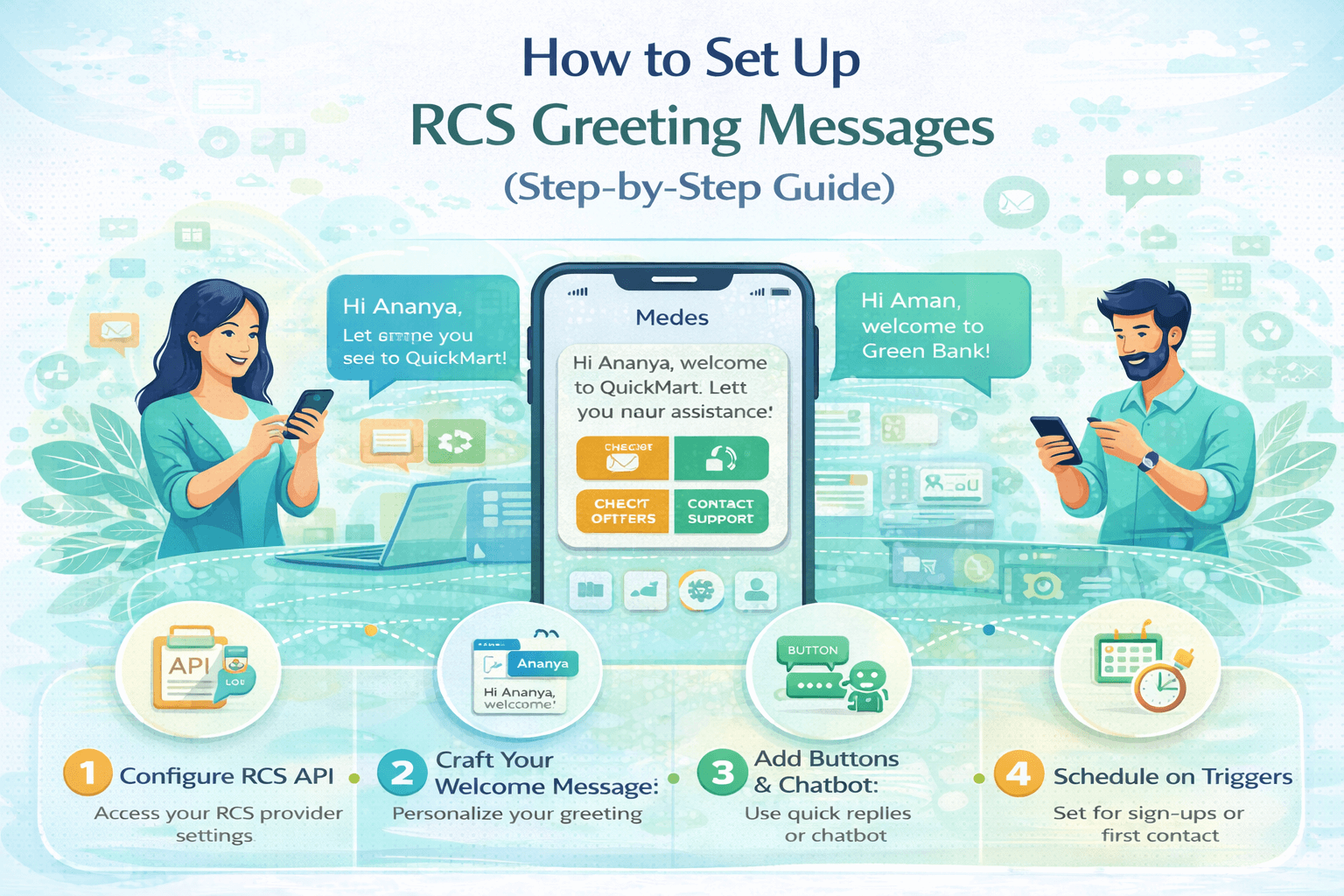
How to Set Up RCS Greeting Messages (Step-by-Step Guide)
Learn how to set up RCS greeting messages for your business with this step-by-step guide. Improve customer engagement with automated welcome messages.
Introduction: Why RCS Greeting Messages Matter
If you have ever wondered how to set up RCS greeting messages for your business, you are already thinking ahead. RCS (Rich Communication Services) is the most significant upgrade to mobile messaging in over two decades — and the greeting message is quite literally the first impression your brand makes on every new customer who messages you.
Unlike a standard SMS auto-reply, an RCS greeting message can display your brand logo, use rich media like images or animated banners, include interactive quick-reply buttons, and even launch a full conversational chatbot flow — all within the customer's native messaging app, with no app download required.
This step-by-step guide covers everything you need to know to set up RCS greeting messages that are engaging, on-brand, and technically correct. Whether you are setting up RCS for the first time or optimising an existing configuration, this guide has you covered.
What Is an RCS Greeting Message?
An RCS greeting message (also called an RCS welcome message or RCS auto-reply) is an automated message sent to a user the first time they initiate a conversation with a business via RCS messaging. It is the conversational equivalent of a branded welcome email — but delivered in real-time, directly in the messaging thread, with rich visual and interactive elements.
Unlike traditional SMS auto-replies, which are limited to 160 characters of plain text, RCS greeting messages can include a wide range of rich content formats.
What Can an RCS Greeting Message Include?
•
Verified business name,
logo, and colour scheme displayed in the message header
•
A welcome text up to 8,000
characters (though best practice recommends concise messaging)
•
A hero image, banner,
carousel card, or video thumbnail
•
Suggested reply chips —
pre-set quick response buttons (e.g. "Browse Products", "Talk to
Us", "Track My Order")
•
Action buttons —
tap-to-call, tap-to-visit website, open maps, initiate a payment flow
•
Rich card carousels — a
horizontal scroll of product or service cards with images and CTAs
• Chatbot flow trigger — the greeting can launch an AI-powered conversational journey
Before You Begin: Prerequisites for Setting Up RCS Greeting Messages
Before you can create and deploy an RCS greeting message, several foundational requirements must be met. Skipping any of these steps will prevent your RCS channel from being activated.
1. Your Business Must Be RCS Verified
RCS Business Messaging (RBM) is not available to just any phone number. Your business must go through a verification process — similar to a verified badge on social media — through either Google's RBM platform directly or a certified RCS aggregator or messaging provider (such as Sinch, Vonage, Twilio, or a regional telco partner).
Verification
involves submitting your business name, logo, website, and contact information.
Once approved, your messages will display your brand identity rather than an
anonymous phone number — a critical trust signal for customers.
2. You Need an RCS-Capable Messaging Platform
Your greeting
message needs to be configured within an RCS messaging platform or customer
communications platform (CPaaS) that supports RBM. Popular options include
Google's Business Messages (now integrated into Google Business Profile), Sinch
Engage, Vonage Communications APIs, Twilio Messaging, and regional operator
platforms. Each platform has its own dashboard where you configure flows,
templates, and triggers.
3. Your Customer Base Must Be on RCS-Enabled Devices
RCS greeting
messages are only delivered to customers whose devices support RCS. As of 2026,
this covers the vast majority of Android devices (via Google Messages) and
iPhones running iOS 18 or later (Apple added RCS support in late 2024).
Coverage is now approximately 85-90% of smartphone users in most major markets.
4. Message Templates Must Be Approved (In Some Markets)
In certain regulated markets, RCS business message templates — including greeting messages — must be pre-approved by the network operator or platform before being sent. This is especially true for financial services, healthcare, and other regulated industries. Check with your RCS provider about approval requirements in your target markets before designing your templates.
How to Set Up RCS Greeting Messages: Step-by-Step Guide
Follow these steps in order. Each step builds on the previous one. Where steps vary by platform, we note the differences between the major providers.
|
1 |
Register and Verify Your RCS Business Profile Log
in to your chosen RCS messaging platform or CPaaS provider. Navigate to the
'Business Profile' or 'RCS Sender' section. Complete the verification form
with your legal business name, registered address, website URL, business
logo, brand description, and contact details. Submit for review —
verification typically takes 3–10 business days depending on the provider and
your market. |
|
2 |
Create Your RCS Agent (Business Sender Identity) Once
verified, you will create an 'RCS Agent' — this is the business identity from
which all your RCS messages are sent. Configure your agent with your display
name (this is what customers see), logo, colour theme, privacy policy URL,
and terms of service URL. The agent is your RCS brand presence. Think of it
as creating a business profile, not just a phone number. |
|
3 |
Design Your Greeting Message Template Now
design the actual greeting message content. In your platform's message
builder, start with a warm welcome text (recommended: 2–4 sentences). Add a
hero image or rich card if your platform supports it. Define your suggested
reply chips — these are the quick-tap options you present to the customer at
the start of the conversation. Typical options include 'Learn More', 'Get a
Quote', 'Speak to Someone', and 'Browse Products'. Ensure the message
reflects your brand voice and is genuinely useful to a first-time messenger. |
|
4 |
Set Up the Welcome Trigger (Event-Based Automation) Navigate
to your platform's 'Flows', 'Automation', or 'Chatbot Builder' section.
Create a new flow or automation rule. Set the trigger event to 'First Message
Received', 'Conversation Start', or 'New Contact Message' — the exact label
varies by platform. Attach your greeting message template to this trigger.
Configure any delays if needed (most best practice recommends immediate
delivery — within 1–2 seconds of the customer's first message). |
|
5 |
Configure Business Hours and Fallback Handling Decide
whether your greeting message should differ based on business hours. Many
businesses configure a standard greeting during business hours (which may
route to a live agent after the initial response) and an out-of-hours version
that sets expectations clearly (e.g. 'Our team is currently offline — we will
respond by 9am tomorrow'). Also configure a fallback SMS for customers whose
devices do not support RCS, so no one is left without a response. |
|
6 |
Test Your RCS Greeting Message Thoroughly Use
your platform's built-in testing tools to simulate a first-message event on a
test device. Verify that the greeting appears with correct branding, the text
renders properly, all quick-reply chips are visible and functional, images
load correctly, and any action buttons work as expected. Test on both Android
(Google Messages) and iOS (Messages app) to ensure consistency across
platforms. |
|
7 |
Submit for Operator Review (If Required) and Go Live In
markets or industries requiring pre-approval, submit your greeting message
template for operator review via your platform dashboard. Once approved,
activate your RCS agent and set the greeting flow to 'Live' or 'Active'. Your
RCS greeting message is now live and will fire automatically for every new
conversation. |
|
8 |
Monitor Performance and Optimise After
going live, track your greeting message performance via your platform's
analytics dashboard. Key metrics to monitor include delivery rate, open rate,
reply-chip engagement rate (which chip do customers tap most?), and
conversation continuation rate (what percentage of customers who receive the
greeting continue the conversation?). Use this data to A/B test different
message variants and continuously improve engagement. |
RCS Greeting Message Templates: Ready-to-Use Examples
Use these professionally written RCS greeting message templates as a starting point. Customise the brand name, tone, and reply chips to match your business.
Template 1: E-Commerce Welcome Message
|
[Business Logo + Display Name: ShopNow] Hi
there! 👋 Welcome to ShopNow — the UK's fastest-growing fashion
destination. We're
thrilled you reached out. Whether you need help with an order, want to
discover our latest drops, or have a question — we're here for you 7 days a
week. What
would you like to do today? [ 📦
Track My Order ] [ 🛍️ Browse
New Arrivals ] [ 💬 Speak to
the Team ] |
Template 2: Financial Services / Banking
|
[Business Logo + Display Name: SecureBank] Hello!
Thank you for contacting SecureBank. This is a secure RCS channel — your
messages are encrypted and protected. Our
team is available Monday to Friday, 8am to 8pm, and Saturday 9am to 5pm. How
can we help you today? [ 💳
Account Query ] [ 🔒 Report
Lost Card ] [ 💸 Apply for a
Loan ] [ 📞 Call Us ] |
Template 3: Healthcare / Appointment Services
|
[Business Logo + Display Name: CareClinic] Welcome
to CareClinic 🏥. We're here to support your health and wellbeing. If
this is a medical emergency, please call 999 immediately. For non-urgent
enquiries, our team typically responds within 2 hours during clinic hours
(Mon–Fri, 9am–5pm). [ 📅
Book an Appointment ] [ 📄
Request a Prescription ] [ ❓ Ask a
Question ] |
Template 4: Education / Student Services
|
[Business Logo + Display Name: Westfield University] Hi!
Welcome to Westfield University's student support channel. 🎓 Whether
you're a prospective student, current student, or parent, we're here to help.
Tell us what you need and we'll point you in the right direction. [ 🏫
Admissions Info ] [ 💳 Fees
& Finance ] [ 📚 Student
Support ] [ 🎓 Current
Students ] |
RCS Greeting Message Best Practices for 2026
Setting up an RCS greeting message is just the beginning. How you design and optimise that message will determine whether customers engage or disengage. Here are the key best practices drawn from top-performing RCS deployments.
|
✅
DO |
❌
DON'T |
|
Keep the
greeting under 300 characters for maximum readability |
Send a wall
of text as the first message |
|
Use the
customer's first name if available via CRM integration |
Use generic
openers like 'Dear Customer' |
|
Offer 3–5
clear, relevant quick-reply chips |
Overwhelm
with more than 5 options at once |
|
Include a
brand logo and hero image for instant recognition |
Send a plain
text-only greeting with no visual elements |
|
Set up
business hours variants (in-hours vs. out-of-hours) |
Promise a
response time you cannot consistently deliver |
|
A/B test
different chip labels and message copy quarterly |
Set the
greeting message and never review it again |
|
Include a
clear opt-out / 'Stop messages' option |
Make opting
out difficult or unclear |
|
Integrate
chatbot flows to handle common follow-up queries |
Let the
greeting lead to a dead end with no follow-up |
Response Time Benchmarks for RCS Greeting Messages
|
Response Time |
Customer Satisfaction |
Conversion Rate Impact |
|
Under 1
second (automated) |
Excellent — 92% satisfaction |
+38% vs. no greeting |
|
1–5 seconds |
Very Good — 87% satisfaction |
+31% vs. no greeting |
|
5–30 seconds |
Good — 74% satisfaction |
+18% vs. no greeting |
|
30 seconds to
2 minutes |
Fair — 61% satisfaction |
+8% vs. no greeting |
|
Over 2
minutes |
Poor — below 40% satisfaction |
Negative impact vs. no greeting |
RCS Greeting Message Setup: Platform Comparison
Different RCS platforms have different interfaces, capabilities, and setup processes. Here is a high-level comparison of the major platforms to help you choose the right one for your business.
|
Platform |
Setup Difficulty |
Template Builder |
Chatbot Support |
RCS Greeting Config |
|
Google RBM / Business Messages |
Medium |
Visual + API |
Full (Dialogflow) |
Flow Builder |
|
Sinch Engage |
Easy |
Drag & Drop |
Built-in AI |
Automation Tab |
|
Twilio RCS (Beta) |
Advanced |
API-based |
Flex + Studio |
Studio Flow |
|
Vonage Communications API |
Medium |
API + Dashboard |
AI Studio |
Event Trigger |
|
Infobip RCS |
Easy–Medium |
Visual Builder |
Answers Bot |
Routing Rules |
Frequently Asked Questions: RCS Greeting Messages
These FAQs are structured to target Google's featured snippets and People Also Ask panels. Add FAQPage schema markup to your published blog post using these Q&A pairs.
|
Q: Can I set up an RCS
greeting message without coding? |
|
A:
Yes. Most modern RCS messaging platforms — including Sinch, Infobip, and
Google's Business Messages interface — offer no-code or low-code visual flow
builders that allow you to create and deploy RCS greeting messages without
writing any code. For more advanced customisation, an API-based approach
using platforms like Twilio or Vonage gives developers full control over the
message content and trigger logic. |
|
Q: How long should an RCS
greeting message be? |
|
A:
Best practice recommends keeping the text portion of your RCS greeting
message to 2–4 sentences (ideally under 300 characters). The richness of RCS
comes from the interactive elements — quick-reply chips and buttons — rather
than from lengthy text. A concise, warm welcome combined with clear action
options consistently outperforms longer messages in engagement testing. |
|
Q: Do RCS greeting messages
work on iPhones? |
|
A:
Yes, as of iOS 18 (released in September 2024), Apple natively supports RCS
in the iPhone's Messages app. This means RCS greeting messages — including
rich media and interactive elements — are now delivered to iPhone users in
most markets, significantly expanding the addressable audience for RCS
business messaging. |
|
Q: What is the difference
between an RCS greeting message and an SMS auto-reply? |
|
A:
An SMS auto-reply is a plain text message of up to 160 characters with no
interactive features. An RCS greeting message can include your brand logo,
verified sender identity, high-resolution images, video content, interactive
quick-reply buttons, action buttons (tap to call, tap to visit website), and
can trigger a full AI chatbot conversation flow — all delivered within the
customer's native messaging app. |
|
Q: How much does it cost to
set up RCS greeting messages? |
|
A:
Costs vary by provider and message volume. Most RCS platforms charge on a
per-message basis, typically ranging from £0.02 to £0.12 per RCS message
depending on country, content type, and volume. Many platforms offer monthly
plans that reduce the per-message cost significantly at scale. The setup and
verification process itself may be free or may involve a one-time agent
registration fee depending on your provider. |
|
Q: How do I test my RCS
greeting message before it goes live? |
|
A:
Most RCS platforms provide a sandbox testing environment or a dedicated test
device registration feature. You enter a test mobile number, send a simulated
first-message event, and review how the greeting appears on that device.
Google's RBM platform also provides an RCS Test Agent tool that allows
testing directly in Google Messages without going through a live operator
flow. |
|
Q: What happens if a
customer's device does not support RCS? |
|
A:
When a customer's device does not support RCS — either because their device
is older, their carrier has not enabled RCS, or they have it disabled — most
RCS platforms automatically fall back to SMS delivery. The fallback message
will be a plain text version of your greeting. It is essential to configure
this fallback in your platform settings to ensure 100% delivery coverage. |
Conclusion: Your RCS Greeting Message Is Your Brand's Digital Handshake
Setting up an RCS greeting message is one of the highest-impact, lowest-effort improvements you can make to your customer communications strategy in 2026. In a world where customers expect instant, personalised, visually engaging responses, a well-designed RCS greeting sets the tone for every conversation that follows.
The businesses that win in conversational commerce are not those that respond fastest — they are those that respond in ways that feel relevant, trustworthy, and genuinely helpful from the very first message. Your RCS greeting is where that impression is made.
Follow the
steps in this guide, use the templates as your foundation, apply the best
practices, and continually optimise based on your engagement data. Your
customers will notice the difference — and your business metrics will too.