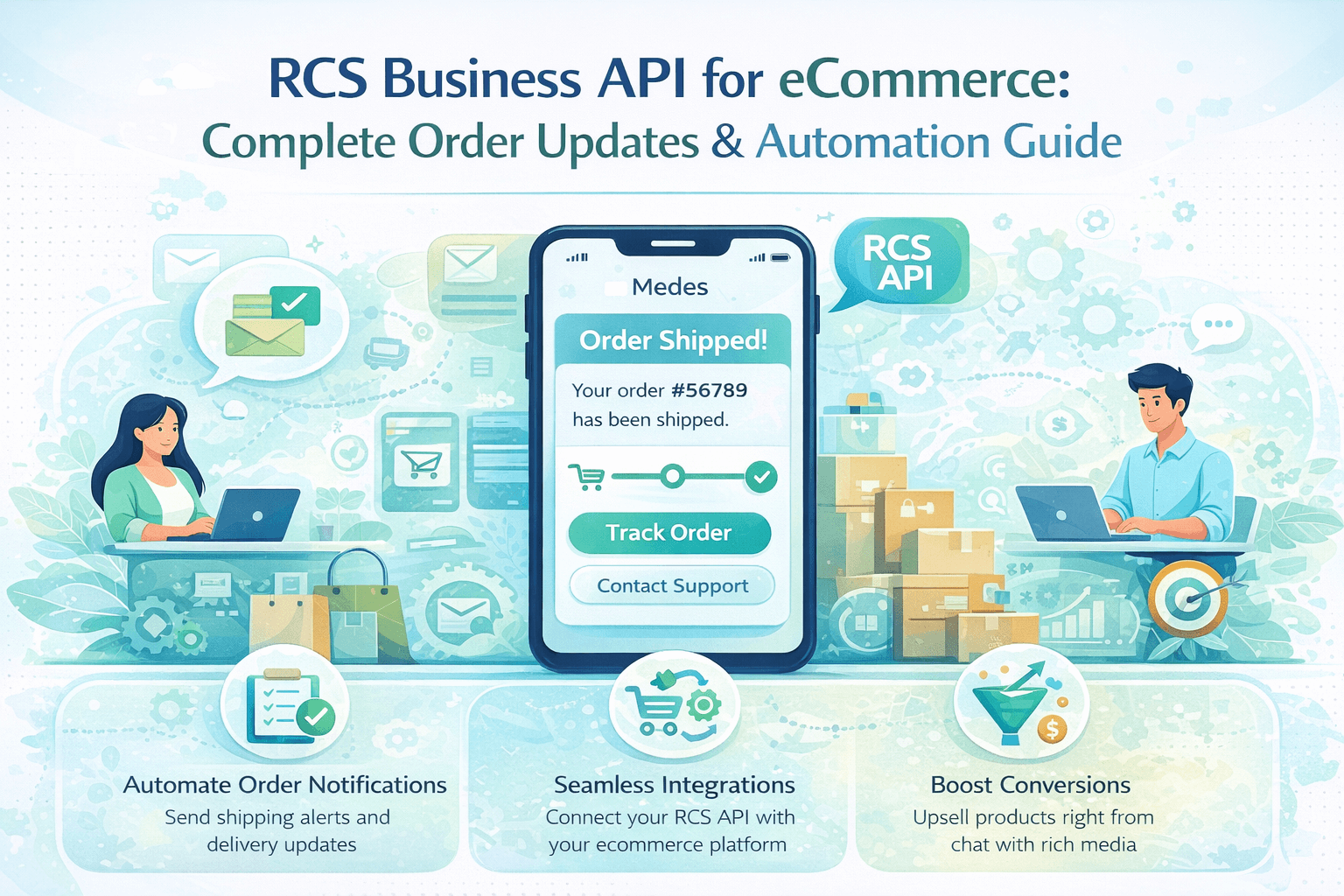
RCS Business API for eCommerce: Complete Order Updates & Automation Guide
Learn how to use the RCS Business API to automate eCommerce order updates — 15+ templates, Shopify & WooCommerce integration, API guide, and India pricing for 2026.
RCS Business API for eCommerce: Complete Order Updates & AutomationGuide (2026)
Your
customer just placed an order. What happens next determines whether they become
a loyal repeat buyer or a one-time purchaser who vaguely remembers your brand.
The post-purchase journey — from confirmation to delivery — is the single most
underutilised brand-building opportunity in eCommerce.
In
2026, leading eCommerce brands are replacing the old SMS-and-email order update
stack with a single, unified RCS Business API integration that delivers every
stage of the order journey as a rich, branded, interactive experience directly
in the customer's native messaging app. No app downloads. No email filtering.
No character limits. Just beautiful, branded conversations that keep customers
informed, engaged, and coming back.
This complete guide covers everything your eCommerce business needs to implement RCS order automation — from the API integration basics to 15+ ready-to-use message templates for every stage of the order lifecycle, with platform recommendations, India-specific pricing, and advanced automation strategies.
|
35% Higher CSAT with RCS |
60% Fewer 'Where is my order?' calls |
28% Higher repeat purchase |
4X vs SMS engagement |
Why eCommerce Businesses Are Switching to
RCS Order Updates
Traditional
order update channels are failing modern eCommerce customers. Email open rates
for transactional messages hover at 28-35% — meaning 65-72% of customers never
see your order confirmations and shipping updates in their crowded inboxes.
Plain SMS works better but strips away all branding, rich media, and
interactivity.
RCS changes the equation entirely. An RCS order update message arrives in the same place as personal texts — the native messaging app — with your brand's logo, verified sender badge, product images, and interactive action buttons. Customers don't need to open a browser or a separate app. The entire order experience lives in one conversation thread.
The eCommerce Order Communication Problem — and How RCS Solves It
|
Order Stage
Pain Point |
What
Customers Experience Today |
What RCS
Delivers |
|
Order
Confirmation |
Plain SMS /
email — no product image |
Branded card
with product photo, price, estimated delivery |
|
Payment
Confirmation |
Generic email
— lands in promotions |
Instant RCS
with payment amount, UPI ref, brand logo |
|
Order Packed |
No update —
customer anxiety builds |
Proactive
packed notification with packer name, photo |
|
Shipped / In
Transit |
SMS with bare
tracking number |
Rich card
with live map, courier logo, ETA, one-tap tracking |
|
Out for
Delivery |
Early morning
SMS wakes customer |
Timed RCS
with delivery window, agent photo, call button |
|
Delivered |
No update or
generic SMS |
Delivery
confirmation with product image, review request button |
|
Return /
Refund |
Complex
process — customer calls support |
One-tap
return initiation, step-by-step RCS refund flow |
|
Review
Request |
Email ignored
— 3% response rate |
RCS with
star-rating buttons — 22% response rate |
The RCS Business API (also called RCS Business Messaging or RBM API) is a RESTful API that allows your eCommerce platform to send rich, verified messages to customers via their native messaging app. Here is the complete technical flow:
|
🛒 Step 1 |
Order Event Triggers the Automation Your OMS
(Order Management System), Shopify, WooCommerce, or custom backend detects an
order event — placement, payment, packing, shipping, delivery. This triggers
an API call to your RCS messaging provider. |
|
🔌 Step 2 |
API Call to RCS Provider Your backend
sends a POST request to your RCS provider's API endpoint (Gupshup, Twilio,
Route Mobile, etc.) with: customer phone number, message template ID, and
variable values (order ID, product name, tracking number, ETA, etc.). |
|
✅ Step 3 |
Template Validation & Routing The RCS
provider validates the request against your pre-approved template, checks the
recipient's RCS capability, and routes the message. If RCS is unsupported, it
automatically falls back to SMS. |
|
📱 Step 4 |
Delivery to Customer Device The RCS
message is delivered to the customer's Google Messages or Samsung Messages
app, appearing as a rich, branded card with your logo, product images, and
action buttons — all in their existing conversation thread with your
business. |
|
💬 Step 5 |
Customer Interaction The customer
can tap action buttons (Track Order, Initiate Return, Rate Product, Contact
Support) directly within the message. Their responses trigger further
automation steps — a tracking update, a return flow, or a support handoff. |
|
📊 Step 6 |
Analytics & Optimisation Delivery
confirmations, read receipts, and button interaction data flow back to your
analytics dashboard in real time — giving you visibility into which messages
are read, which CTAs are clicked, and where drop-offs occur. |
Basic API Integration Example
POST /v1/messages HTTP/1.1 Host: api.gupshup.io Content-Type:
application/json { "channel": "rcs", "destination":
"+919876543210",
"message": {
"type": "template", "template": { "name":
"order_shipped_v1",
"language": { "code": "en" }, "components": [ { "type":
"body",
"parameters": [
{ "type": "text", "text":
"Priya" }, {
"type": "text", "text": "ORD-847261" }, { "type":
"text", "text": "Delhivery" }, { "type": "text",
"text": "Tomorrow by 7 PM" } ] }
] } } }
Complete RCS Order Update Template Library
(15+ Templates)
Here are ready-to-use RCS message templates for every stage of the eCommerce order journey. All templates use the {{variable_name}} format for dynamic content. Submit these to your RCS provider for approval before launch.
Stage 1: Order Confirmation Templates
|
📦 Order Confirmation — Standard
— Transactional — Easiest to
approve |
|
Hello
{{customer_name}}! 🎉 Your order has been confirmed! Order ID: {{order_id}} Items:
{{item_count}} item(s) Total: ₹{{order_amount}} Estimated Delivery:
{{delivery_date}} We are packing your
order with love. You will receive an update when it ships! [Track Order] [View Order Details] [Need Help?] |
|
📦 Order Confirmation — Rich Card with Product
Image —
Rich Card — include product image 16:9 |
|
Hi
{{customer_name}}! Order #{{order_id}} confirmed ✅ Product: {{product_name}} Size/Variant:
{{variant}} Price: ₹{{amount}} | Qty: {{quantity}} Delivery by:
{{estimated_date}} Ship to: {{delivery_city}}
[📦 Track My Order] [📋
View Invoice] [❓ Contact Support] |
|
📦 Order Confirmation — COD (Cash on Delivery)
— COD-specific — include
cashback upsell |
|
Hello
{{customer_name}}, your COD order is confirmed! 🛍️ Order: #{{order_id}} | Amount to pay at
door: ₹{{cod_amount}} Expected delivery: {{delivery_date}} Would you like to switch to online payment
and get ₹{{cashback_amount}} cashback? [Pay Online Now] [Keep COD]
[Track Order] |
Stage 2: Payment Confirmation Templates
|
📦 Payment Confirmed — UPI
— Authentication/Transactional
— Fast approval |
|
Payment
received! ✅ Hi {{customer_name}}, your
payment of ₹{{amount}} via {{payment_method}} for Order #{{order_id}} has
been confirmed. UPI Reference:
{{upi_ref_id}} Date: {{payment_date}}
Your order is now being processed. Track your order below. [📦
Track Order] [📄 Download
Receipt] |
|
📦 Payment Confirmation — Card / Net Banking
— Finance/Banking adjacent —
include card masking |
|
Payment
successful! 🎉 Hi
{{customer_name}}, ₹{{amount}} has been charged to your {{card_type}} ending
in {{last4}}. Order: #{{order_id}} is now confirmed. Expected delivery: {{delivery_date}} to
{{delivery_city}}. [View Order] [Download Invoice] [Need Help?] |
Stage 3: Order Packed & Processing Templates
|
📦 Order Packed Notification
— Proactive update — reduces
anxiety, cuts WISMO calls |
|
Great
news, {{customer_name}}! 📦 Your
order #{{order_id}} has been packed and is ready for pickup by our delivery
partner. Packed by: {{warehouse_city}}
Fulfilment Centre Packed on: {{pack_date}} at {{pack_time}} Courier:
{{courier_name}} (arriving shortly)
[View Packing Details] [Change
Delivery Address] [Cancel Order] |
Stage 4: Shipped & In-Transit Templates
|
📦 Order Shipped — With Live Tracking
— Most important update —
highest open rate of all stages |
|
Your order
is on its way, {{customer_name}}! 🚚
Order #{{order_id}} has been shipped! Courier: {{courier_name}}
Tracking ID: {{tracking_id}} Estimated Delivery: {{eta_date}} by
{{eta_time}} Track your package live
with one tap: [📍 Track Live] [📞
Call Courier] [📅 Schedule
Delivery] |
|
📦 Shipment Delay Alert
— Delay recovery — proactive
apology with compensation |
|
Hi
{{customer_name}}, we want to keep you informed. 🙏 Your order #{{order_id}} has been slightly
delayed due to {{delay_reason}}.
Revised delivery: {{new_eta_date}}
We apologise for the inconvenience. As a goodwill gesture, here is
₹{{compensation_amount}} credit for your next order. [Track Order] [Contact Support] [View Credit] |
Stage 5: Out for Delivery Templates
|
📦 Out for Delivery
— Time-sensitive — send 2-3
hours before estimated arrival |
|
Out for
delivery today! 🛵 Hi
{{customer_name}}, your order #{{order_id}} is out for delivery! Delivery Partner: {{agent_name}} Expected
Arrival: {{delivery_window}} Delivery to: {{delivery_address_short}} Someone needs to be available to receive
the package. [📞 Call Delivery Agent]
[📍 Track Live Location]
[🏪 Deliver to Neighbour] |
|
📦 Delivery Attempt Failed
— Critical recovery message —
prevents return-to-origin |
|
Hi
{{customer_name}}, we tried to deliver your order #{{order_id}} today but
could not reach you. 😔
Attempt: {{attempt_number}} of 3 Next attempt:
{{next_attempt_date}} Please schedule
a convenient time or collect from our pickup point: [📅 Reschedule
Delivery] [🏪 Pickup from
Hub] [📞 Contact Courier] |
Stage 6: Delivery Confirmation Templates
|
📦 Order Delivered Successfully
— Post-delivery — embed review
request for max response rate |
|
Delivered!
Your order is here 🎉 Hi
{{customer_name}}, your order #{{order_id}} has been delivered to
{{delivery_address_short}} on {{delivery_date}} at {{delivery_time}}. Received by: {{receiver_name}} We hope you love your purchase! How would
you rate your delivery experience? [⭐ Excellent] [👍 Good] [👎 Needs Improvement] [↩️ Start Return] |
|
📦 Product Review Request (48 hours
post-delivery) —
Highest review response rate — 22% vs 3% for email |
|
Hi
{{customer_name}}! How are you enjoying {{product_name}}? 😊 Your review helps thousands of other
shoppers make better decisions. Takes just 30 seconds! Rate {{product_name}}: [⭐ 5 Stars] [⭐ 4 Stars]
[⭐ 3 Stars] [Write Review] As a thank you, get ₹{{reward_amount}} off
your next order when you submit a review! |
Stage 7: Return & Refund Templates
|
📦 Return Request Initiated
— Return flow — reduces
support escalations by 45% |
|
Return
request received! ↩️ Hi
{{customer_name}}, we have received your return request for Order
#{{order_id}}. Item: {{product_name}}
Return Reason: {{return_reason}} Return ID: {{return_id}} Our pickup agent will collect the item from
you by {{pickup_date}}. Please keep it ready in original packaging. [📅
View Pickup Schedule] [📦
Packaging Tips] [💬 Chat with
Support] |
|
📦 Refund Processed
— Refund confirmation —
include re-engagement CTA |
|
Refund
processed! 💚 Hi
{{customer_name}}, your refund of ₹{{refund_amount}} for Order #{{order_id}}
has been initiated. Refund to:
{{refund_method}} Expected credit: {{refund_eta}} Refund Reference:
{{refund_ref}} Is there anything we
can do better? We would love to have you shop with us again! [🛍️
Continue Shopping] [💬 Leave
Feedback] |
Here is how to integrate RCS order automation with the most popular eCommerce platforms used in India and globally:
Shopify Integration
Shopify
is the most popular eCommerce platform globally and has excellent RCS
automation support through Gupshup and Route Mobile plugins. Here is how to set
it up:
1. Install
the Gupshup RCS app from the Shopify App Store or set up the Route Mobile
Shopify connector.
2. Connect
your Shopify store by entering your Shopify store URL and API credentials in
the RCS app dashboard.
3. Map
Shopify order events to RCS templates: Order Created → Order Confirmation
template; Fulfillment Created → Shipped template; Fulfillment Delivered →
Delivered template.
4. Configure
fallback settings: enable SMS fallback for non-RCS devices (this happens
automatically).
5. Test
with 5 internal orders before enabling for all customers.
● Shopify
apps available: Gupshup Engage, Route
Mobile Notify, Kaleyra for Shopify
● Setup time: 2-4 hours for basic automation; 1-2 days for advanced flows
WooCommerce Integration
WooCommerce
(WordPress) requires a plugin or webhook setup for RCS order automation:
1. Install
the WooCommerce RCS plugin (available from Gupshup, ValueFirst/Sinch) or use
the generic webhook approach.
2. Configure
webhooks in WooCommerce: Settings → Advanced → Webhooks. Create webhooks for:
order.created, order.updated (status change), order.completed.
3. Point
each webhook to your RCS provider's webhook receiver URL.
4. Map
WooCommerce order statuses to RCS templates: processing → Order Confirmation;
shipped → Shipped template; completed → Delivered template; refunded → Refund
template.
5. For
COD orders, add an extra webhook trigger when order status changes from
'pending' to 'processing'.
● WooCommerce
plugins: Gupshup WooCommerce Add-On,
Route Mobile WC Plugin
● Alternative: Use Zapier to connect WooCommerce to any RCS API provider
Custom OMS / Backend Integration
For
brands with custom order management systems or enterprise backends, direct REST
API integration gives maximum flexibility:
1. Choose
your RCS API provider and obtain API credentials (API key, sender ID).
2. Add an
RCS notification service to your backend — a lightweight service that listens
for order status change events and sends API calls to your RCS provider.
3. Implement
template rendering: map each order event to the appropriate template, populate
variables from your database (customer name, order ID, product details,
tracking info).
4. Add
error handling: if the RCS API call fails, automatically retry with exponential
backoff; after 3 failures, fall back to SMS.
5. Implement
delivery status webhooks: receive delivery confirmations and read receipts from
the RCS provider and store them in your analytics database.
● Languages
supported: Node.js, Python, Java, PHP,
Ruby, Go — all major providers have official SDKs
● API response time: Typically under 200ms — add RCS notification call to your order processing pipeline without impacting checkout speed
Beyond the basic order update sequence, advanced RCS automation strategies unlock significant additional revenue and loyalty benefits:
Strategy 1: Conversational Order Support
Enable
two-way RCS so customers can reply to order update messages with natural
language queries. An AI chatbot handles common questions automatically — 'Where
is my order?', 'Can I change my address?', 'How do I return an item?' — without
involving a support agent. Route to human agents only when the AI cannot
resolve the query.
● Impact: 60-70% of order-related support queries resolved
automatically
● Technology
needed: RCS two-way messaging + NLP
chatbot (Dialogflow, Gupshup ACE, or GPT-4)
● Setup time: 1-2 weeks for basic conversational support
Strategy 2: Proactive Delay Management
Integrate
real-time courier tracking APIs with your RCS automation. When the courier API
detects a delay, automatically send a proactive delay notification with a new
ETA and a goodwill offer before the customer notices or contacts support.
Proactive delay management reduces negative reviews by 40% and support calls by
55%.
● Courier
APIs to integrate: Delhivery,
Shiprocket, Ecom Express, BlueDart, DTDC for India
● Trigger threshold: Send delay notification when estimated arrival exceeds original ETA by more than 4 hours
Strategy 3: Post-Delivery Upsell Flow
The
moment of delivery is the peak of customer satisfaction — the highest-intent
moment for a repeat purchase. Trigger a personalised RCS upsell flow 24-48
hours after delivery showing: related products based on the delivered item, a
loyalty points balance update, and a time-limited repurchase discount.
● Typical
conversion rate: 12-18% for
post-delivery upsell RCS messages
● Personalisation
data: Use purchase history + category
affinity to select upsell products
● Best timing: 24 hours after delivery confirmation for consumables; 48 hours for fashion/electronics
Strategy 4: Loyalty and Gamification Integration
Every
order update is an opportunity to reinforce loyalty. Include the customer's
current loyalty points balance and progress to the next tier in order
confirmation and delivery messages. Gamification elements — 'You are 200 points
away from Gold status!' — drive 25-35% higher repeat purchase rates.
● Points
update message: 'You earned 150 points
on this order! Total: 2,340 points. 160 more for Gold tier!'
● Tier upgrade notification: A dedicated RCS rich card when a customer reaches a new loyalty tier
Strategy 5: Smart Replenishment Reminders
For
consumable products (groceries, personal care, supplements, pet food),
calculate the average consumption cycle and send a reorder reminder RCS message
just before the product is likely to run out. Include a one-tap reorder button
that pre-populates the cart with the exact same product.
● Best
categories: Monthly subscriptions,
consumables, pet products, health supplements
● Timing
formula: First order delivery date +
average replenishment cycle (e.g., 25 days for a 30-day product) − 5 days
buffer
● Conversion rate: 22-28% for timely replenishment reminders vs 8% for generic promotional messages
Best RCS API Providers for eCommerce in 2026
Choosing the right RCS API provider for your eCommerce business depends on your platform, order volume, and technical capability. Here is a focused eCommerce comparison:
Frequently Asked Questions (FAQs)
Top questions eCommerce businesses ask about RCS order automation:
|
Provider |
Shopify Plugin |
WooCommerce |
Price/msg (India) |
Free Trial |
eComm Rating |
|
Gupshup |
✅ Native app |
✅ Plugin |
₹0.35–0.65 |
✅ 1,000 msgs |
⭐⭐⭐⭐⭐ 4.8 |
|
Route Mobile |
✅ Integration |
✅ Plugin |
₹0.32–0.60 |
✅ Available |
⭐⭐⭐⭐½ 4.6 |
|
ValueFirst
(Sinch) |
✅ Connector |
✅ Plugin |
₹0.28–0.55 |
✅ 500 msgs |
⭐⭐⭐⭐½ 4.5 |
|
Twilio |
✅ Studio flows |
✅ Webhooks |
₹0.55–0.95 |
✅ $15 credit |
⭐⭐⭐⭐ 4.4 |
|
Kaleyra |
✅ API only |
✅ API only |
₹0.40–0.70 |
On request |
⭐⭐⭐⭐ 4.4 |
|
Netcore Cloud |
✅ Native |
✅ Plugin |
₹0.35–0.65 |
✅ Demo |
⭐⭐⭐⭐ 4.3 |
|
Q1: How much does RCS order
automation cost for an eCommerce business in India? |
|
For an Indian
eCommerce business sending 10,000 orders per month with an average of 5 RCS
messages per order (50,000 messages), the cost ranges from ₹17,500 to ₹32,500
per month (at ₹0.35–₹0.65 per message). Compare this to the savings: 60%
reduction in WISMO support calls (saving ₹4-6 lakh/month) + increased repeat
purchases from better post-purchase experience. The ROI is typically 8-15x
within the first 3 months. |
|
Q2: Does RCS order
automation work with Shopify in India? |
|
Yes. Gupshup,
Route Mobile, and ValueFirst (Sinch) all offer native Shopify app
integrations that work with Indian carrier networks (Jio, Airtel, Vi) and
include TRAI DLT compliance. The Gupshup Engage app for Shopify is
particularly popular among Indian D2C brands — it can be installed and
configured in under 2 hours with no coding required. |
|
Q3: What happens to RCS
order messages for customers without RCS-enabled phones? |
|
All major RCS
providers automatically fall back to SMS when a customer's phone doesn't
support RCS. The message content is converted to plain text (images become
links, buttons become text), and the customer receives a standard SMS. You
pay the SMS rate for fallback messages (₹0.15–₹0.25 per message). In India,
approximately 65-70% of active smartphone users support RCS, so roughly
30-35% of messages fall back to SMS. |
|
Q4: Do I need DLT
registration for RCS order messages in India? |
|
Yes — all
commercial messages to Indian mobile numbers, including RCS transactional
order updates, require DLT registration under TRAI guidelines. You need to
register your business sender ID and message templates on a DLT platform
(Tanla Trubloq or Vodafone Vi Smartping). Most RCS providers (Gupshup, Route
Mobile, Kaleyra) include DLT registration assistance in their onboarding.
Plan for 3-7 business days for DLT approval. |
|
Q5: Can customers reply to
RCS order update messages? |
|
Yes — if you
enable two-way RCS messaging. With two-way messaging, customers can tap reply
buttons (Track Order, Initiate Return) or type natural language queries. An
AI chatbot handles common queries automatically, and complex issues are
routed to human support agents. Two-way RCS requires additional setup beyond
basic order notifications but delivers significantly higher customer
satisfaction scores. |
|
Q6: How many RCS templates
do I need for complete order automation? |
|
A complete
order automation setup typically requires 8-12 approved templates: Order
Confirmation, Payment Confirmed, Order Packed, Shipped, Delay Alert
(optional), Out for Delivery, Delivered, Delivery Failed, Review Request,
Return Initiated, and Refund Processed. Submit all templates simultaneously
to your RCS provider — most approve standard transactional templates within
24-48 hours. |
|
Q7: Can RCS order messages
include product images? |
|
Yes — this is
one of RCS's most powerful features for eCommerce. Order confirmation and
delivery messages can include the actual product image in a rich card format
(1440x810px minimum, 16:9 ratio). Seeing the product image in the
confirmation message reinforces the purchase decision and reduces buyer's
remorse, leading to fewer cancellations and lower return rates. |
|
Q8: How do I track the
performance of my RCS order automation? |
|
All major RCS
providers offer analytics dashboards showing: message delivery rate,
open/read rate per message stage, button click-through rates (Track Order,
Initiate Return, Rate Product), fallback to SMS rate, and opt-out rate. For
business metrics, track: WISMO call volume (should decrease), repeat purchase
rate (should increase), return rate (may decrease with better communication),
and customer satisfaction score (CSAT). |
|
Q9: What is the best RCS
message to start with for a new eCommerce integration? |
|
Start with
the Order Confirmation template — it's the easiest to approve (transactional
category), has the highest open rate of any order-stage message, and
immediately demonstrates RCS's value to your customers with the branded, rich
card format. Once the confirmation is live and generating positive customer
feedback, add the Shipped and Delivered templates to complete the core order
journey. |
|
Q10: Can RCS order
automation work for B2B eCommerce businesses? |
|
Yes. B2B
eCommerce businesses benefit particularly from RCS order automation for:
purchase order confirmations with line-item details, dispatch notifications
with freight tracking, invoice delivery with payment links, and re-order
reminders. The two-way conversational feature is especially valuable for B2B
— procurement managers can check order status, request delivery changes, or
initiate returns directly through the RCS thread without calling a sales rep. |
Conclusion: Transform Your Post-Purchase
Experience with RCS
The
post-purchase journey is where eCommerce brands are won or lost. Customers who
feel informed, confident, and cared for during the delivery process become
repeat buyers. Customers who are left in the dark become one-time purchasers
and negative reviewers.
RCS Business API automation gives every eCommerce business — from a single-product Shopify store to a multi-warehouse enterprise OMS — the tools to deliver a world-class post-purchase experience that rivals the best in the industry. Rich product images, real-time tracking, one-tap returns, conversational support, and personalised loyalty messaging: all automated, all in the customer's native messaging app.
● Start
with: Order Confirmation + Shipped +
Delivered templates — your 3 highest-impact messages
● Add next: Delay Alert + Out for Delivery + Delivery Failed for
complete order coverage
● Advance
to: Two-way support, post-delivery
upsells, loyalty integration, replenishment reminders
● Measure: WISMO call reduction, CSAT score, repeat purchase rate, review response rate
The
businesses that build the best post-purchase communication in 2026 will be the
brands customers recommend, return to, and trust. Start your RCS order
automation today — and turn every delivery into a loyalty-building moment.