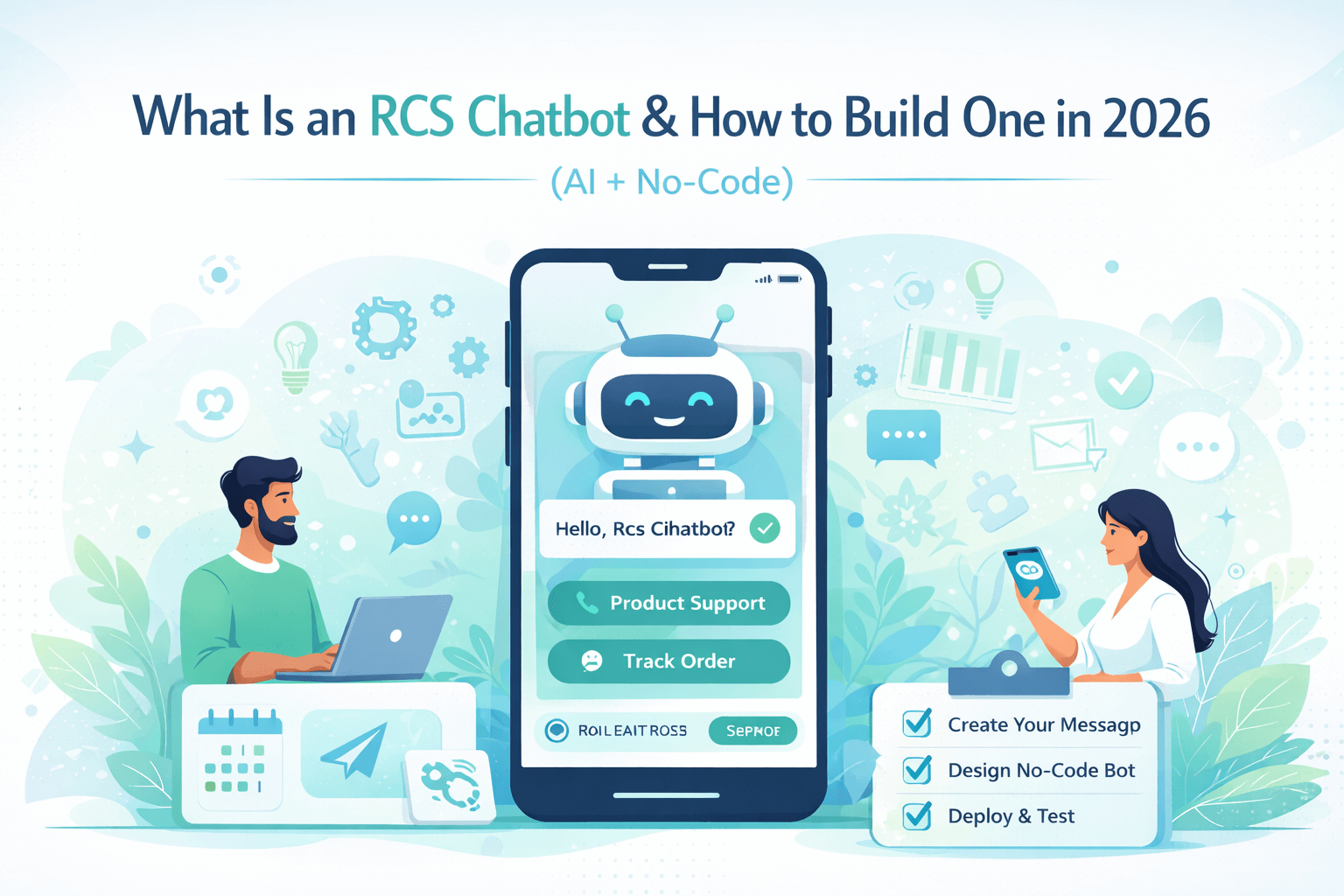
What Is an RCS Chatbot & How to Build One in 2026 (AI + No-Code)
Rich Communication Services (RCS) is transforming business messaging in 2026. In this complete guide, you’ll learn what an RCS chatbot is, how it works, and how to build one using AI and no-code platforms. Discover step-by-step instructions, tools, automation strategies, and best practices to create interactive, media-rich conversations that increase engagement and conversions. Whether you're a startup or an enterprise, this guide will help you launch a powerful RCS chatbot without complex codin
What Is an RCS Chatbot & How to Build One in 2026 (AI + No-Code)
Published: 2026 | Reading Time: ~11 minutes |
Category: RCS Messaging / AI Chatbots
Imagine
a customer texts your business at 2 AM asking about your return policy. Instead
of leaving them waiting until morning, an intelligent RCS chatbot replies
instantly — with rich text, clickable buttons, images of the product, and a
direct link to start the return process. All inside their native messaging app.
No app download. No website visit. Just a conversation.
That's
the power of an RCS chatbot in 2026. And the best news? You don't need to be a
developer to build one. Thanks to AI tools and no-code platforms, anyone can
launch a fully functional RCS chatbot in hours.
In this complete guide, we'll cover everything you need to know: what an RCS chatbot actually is, how it differs from SMS bots and WhatsApp bots, which platforms to use, and a step-by-step walkthrough for building your own — with AI or without writing a single line of code.
An
RCS chatbot is an automated messaging program that uses the RCS (Rich
Communication Services) protocol to interact with users through conversational
messages. Unlike a standard SMS bot that can only send plain text, an RCS
chatbot can:
● Send
high-resolution images, videos, and GIFs
● Display
interactive quick-reply buttons
● Show
product carousels with images, titles, and prices
● Share
location maps and directions
● Process
payments directly within the chat
● Use AI
to understand natural language and respond intelligently
● Provide read receipts and typing indicators for a human-like feel
Think of it as combining the reach of SMS (every phone can receive it) with the intelligence of a WhatsApp bot and the visual richness of an in-app chat widget — all in one.
RCS Chatbot vs SMS Bot vs WhatsApp Bot
|
Feature |
SMS Bot |
WhatsApp Bot |
RCS Chatbot |
|
Rich Media
(images/video) |
❌ No |
✅ Yes |
✅ Yes |
|
Interactive
Buttons |
❌ No |
✅ Yes |
✅ Yes |
|
Product
Carousels |
❌ No |
Limited |
✅ Yes |
|
In-app
Payments |
❌ No |
✅ Yes |
✅ Yes |
|
App Download
Needed |
❌ No |
✅ Required |
❌ No |
|
Works on
iPhone |
✅ Yes |
✅ Yes |
✅ iOS 18+ |
|
Verified
Business Badge |
❌ No |
✅ Yes |
✅ Yes |
|
AI / NLP
Support |
Limited |
✅ Yes |
✅ Yes |
|
Global Reach |
✅ Universal |
Limited |
Growing fast |
|
Cost |
Low |
Per message |
Per message |
Understanding how an RCS chatbot works helps you build a better one. Here's the technical flow in simple terms:
|
1 |
User Sends a Message A customer
texts your business's RCS number or taps a button in an RCS message. The
message is received by your RCS Business Messaging (RBM) provider. |
|
2 |
NLP Engine Processes the Input The message
goes through a Natural Language Processing (NLP) engine — either a pre-built
AI model (like Google Dialogflow, OpenAI GPT, or Rasa) or a simple
keyword-matching rule — that determines what the user wants. |
|
3 |
Logic & Database Lookup Based on the
understood intent, the chatbot logic fetches the right response — from a FAQ
database, a product catalog, a CRM system, or a live data API. |
|
4 |
RCS Response is Composed The chatbot
builds a rich RCS response — which could be plain text, a button menu, an
image card, a carousel of products, or a payment request. |
|
5 |
Response Delivered via RBM API The response
is sent through the RCS Business Messaging API to the user's phone, appearing
instantly in their native messaging app — no app required. |
|
6 |
Conversation Continues or Escalates The chatbot
handles the full conversation loop, or hands off to a human agent when the
issue is too complex — with the full chat history preserved. |
RCS chatbots in 2026 are significantly more powerful than even two years ago, thanks to advances in AI and the widespread adoption of the RCS standard. Here are the standout features:
1. Rich Cards and Carousels
Unlike plain SMS, RCS chatbots can send 'rich cards' — visual message cards that include an image, title, description, and action buttons. Multiple cards can be stacked into a horizontal carousel, perfect for showcasing products, services, or menu options.
2. Suggested Action Buttons
Instead of asking users to type responses, RCS chatbots display tappable suggested reply buttons directly under each message. Options like 'Yes,' 'No,' 'View Order,' or 'Talk to Agent' make interactions faster and reduce drop-off rates dramatically.
3. Verified Business Sender
RCS Business Messaging allows your chatbot to send messages from a verified, branded account — complete with your company logo, brand colors, and a blue verification checkmark. Users instantly know the message is legitimate, not spam.
4. AI-Powered Natural Language Understanding
Modern RCS chatbots use AI models (GPT-4, Gemini, Claude, or custom-trained NLP models) to understand conversational language — not just keywords. A user can type 'I want to return something I bought last week' and the chatbot correctly understands this as a return request.
5. In-Chat Payments
RCS supports native payment flows. A customer can browse, select, and pay for a product entirely within the chat — without being redirected to a website or app. This reduces friction and increases conversion rates for e-commerce businesses.
6. Location Sharing and Maps
RCS chatbots can request the user's location, share store addresses with interactive map previews, provide turn-by-turn directions, and show nearby locations — all within the messaging interface.
7. Read Receipts and Delivery Status
Unlike SMS, RCS provides real-time delivery and read status for chatbot messages. This lets businesses track engagement rates, measure message effectiveness, and retarget users who haven't responded.
8. Multilingual Support
AI-powered RCS chatbots in 2026 can automatically detect the user's language and respond accordingly. A single chatbot can handle English, Hindi, Spanish, Arabic, and dozens of other languages without separate setups.
Top Use Cases for RCS Chatbots in 2026
RCS chatbots are versatile tools that work across virtually every industry. Here are the most impactful use cases:
1. E-Commerce and Retail
Online stores use RCS chatbots to send order confirmation messages with product images and tracking links, provide automated support for returns and exchanges, send personalized product recommendations based on purchase history, run flash sale campaigns with tap-to-buy buttons, and recover abandoned carts with follow-up messages.
2. Customer Support
Support teams deploy RCS chatbots as first-line agents that instantly answer FAQs, troubleshoot common problems with visual step-by-step guides, check order status and account information in real time, and escalate complex tickets to human agents — all within a single conversation thread.
3. Healthcare and Appointments
Healthcare providers use RCS chatbots to send appointment reminders with confirm/reschedule buttons, share pre-appointment instructions with images and documents, conduct post-visit follow-up surveys, provide medication reminders, and answer common health questions with verified information.
4. Banking and Finance
Banks use RCS chatbots to send transaction alerts with fraud confirmation buttons, provide account balance updates on request, process simple banking requests like fund transfers, send loan and credit card offers with direct apply buttons, and verify identity through secure conversational flows.
5. Travel and Hospitality
Airlines and hotels use RCS chatbots to send boarding pass updates with interactive seat upgrade options, deliver hotel check-in information with room images and amenity details, handle flight change or cancellation requests, provide local recommendations and map directions, and collect post-stay reviews via conversational forms.
6. Marketing and Lead Generation
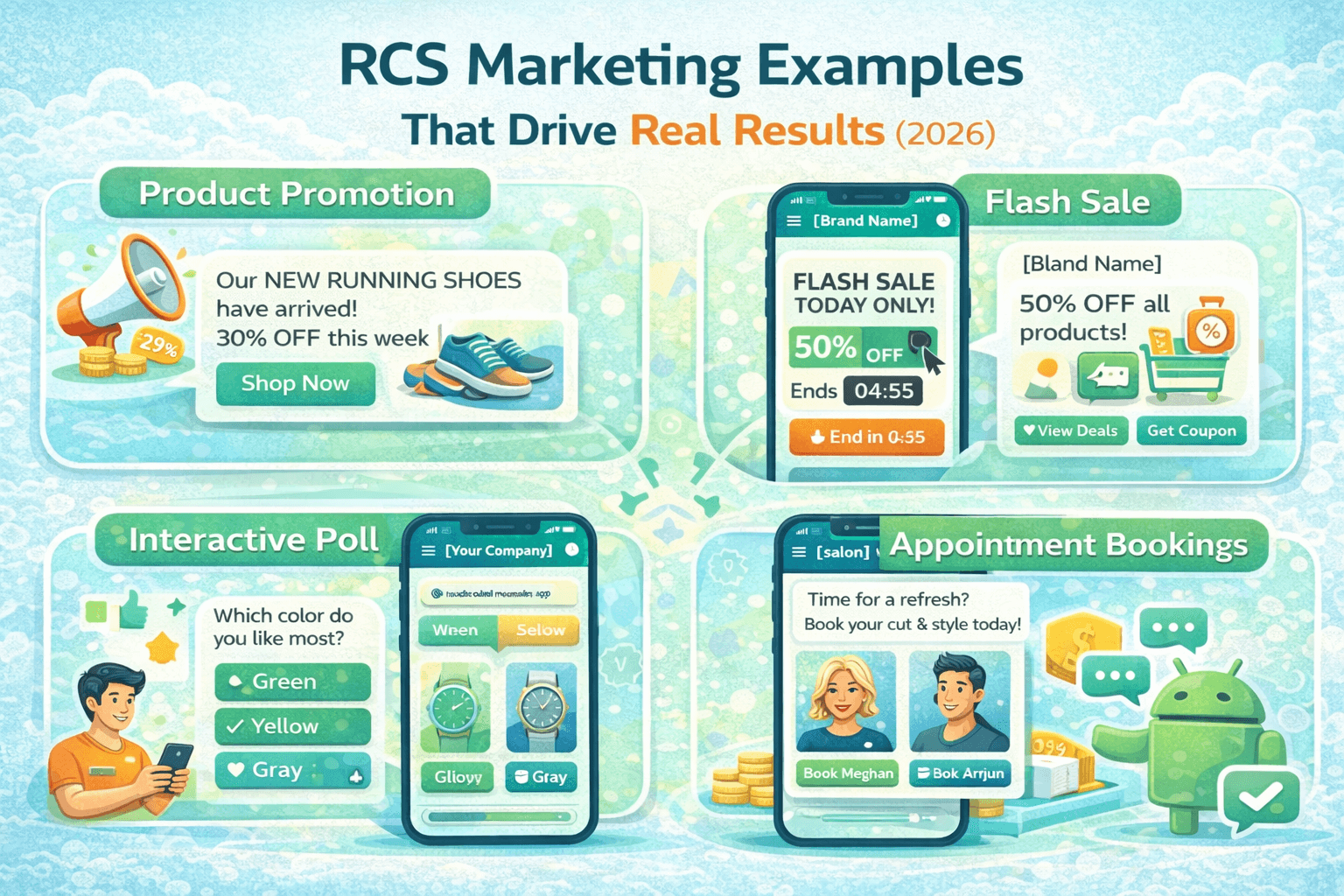
Marketers use RCS chatbots to run interactive promotional campaigns, qualify leads through conversational questionnaires, send personalized offers based on customer segments, conduct surveys and polls with quick-reply buttons, and nurture prospects through automated drip message sequences.
Best Platforms to Build an RCS Chatbot in
2026
You don't need to build an RCS chatbot from scratch. These platforms make it easy — some with full no-code builders, others with developer APIs for custom builds:
1. Google Business Messages (RBM) + Dialogflow CX
Google's
own RCS Business Messaging platform combined with Dialogflow CX is the most
powerful option for building enterprise-grade RCS chatbots. Dialogflow CX
handles complex conversational flows with visual flow builders, while RBM
handles delivery and rich card formatting.
● Best for: Medium to large enterprises with technical resources
● AI Engine:
Google Dialogflow CX (powerful visual
flow builder)
● No-code
option: Yes — Dialogflow CX has a
drag-and-drop flow editor
● Cost: Pay-per-message + Dialogflow pricing
2. Twilio Messaging + OpenAI Integration
Twilio's
messaging API supports RCS and integrates seamlessly with OpenAI's GPT models.
Developers can build highly intelligent chatbots with custom conversational
logic, while non-technical users can use Twilio Studio — a no-code visual
workflow builder.
● Best for: Developers and tech-forward businesses
● AI Engine:
OpenAI GPT-4 / GPT-4o (best-in-class
language understanding)
● No-code
option: Yes — Twilio Studio
drag-and-drop builder
● Cost: Per message + API usage fees
3. Sinch — No-Code RCS Chatbot Builder
Sinch
is one of the most beginner-friendly platforms for building RCS chatbots
without any coding. Its visual conversation designer lets you build complete
chatbot flows with buttons, rich cards, and AI responses using a simple
drag-and-drop interface.
● Best for: Small businesses and non-technical users
● AI Engine:
Built-in NLP + optional GPT integration
● No-code
option: ✅ Yes — fully visual builder
● Cost: Subscription-based + per-message rates
4. MessageBird (Bird)
MessageBird
offers a unified messaging platform that supports RCS alongside WhatsApp, SMS,
and email — all from one dashboard. Its Flow Builder is a no-code tool for
designing omnichannel chatbot conversations.
● Best for: Businesses wanting multi-channel messaging in one
platform
● AI Engine:
Built-in AI + integrations with
Dialogflow and OpenAI
● No-code
option: ✅ Yes — visual Flow Builder
● Cost: Pay-as-you-go pricing
5. Gupshup — AI-First RCS Chatbot Platform
Gupshup
is an AI-first conversational messaging platform that has added strong RCS
support. Its Bot Studio is purpose-built for creating intelligent chatbots
quickly, with pre-built templates for common industries like retail, banking,
and healthcare.
● Best for: Businesses wanting quick deployment with industry
templates
● AI Engine:
Gupshup ACE LLM + GPT integration
● No-code
option: ✅ Yes — template-based visual
builder
● Cost: Subscription + usage-based pricing
|
Platform |
No-Code |
AI/GPT |
Best For |
Free Trial |
Difficulty |
|
Google RBM +
Dialogflow |
✅ Yes |
✅ Google AI |
Enterprise |
✅ Yes |
Medium |
|
Twilio +
OpenAI |
✅ Studio |
✅ GPT-4 |
Developers |
✅ Yes |
Medium |
|
Sinch |
✅ Yes |
✅ Built-in |
Beginners |
✅ Yes |
Easy |
|
MessageBird |
✅ Yes |
✅ Yes |
Multi-channel |
✅ Yes |
Easy |
|
Gupshup |
✅ Yes |
✅ Yes |
Quick deploy |
✅ Yes |
Easy |
How to Build an RCS Chatbot Without Coding
(Step-by-Step)
Here's a complete walkthrough using Sinch — one of the most beginner-friendly no-code RCS chatbot platforms available in 2026. The same general process applies to other platforms with minor variations.
Before You Start: What You Need
● A
business phone number (or virtual number from your platform)
● A
Google Business verification (required for RCS Business Messaging)
● Your
brand logo, colors, and business description
● A
clear idea of what your chatbot will help users with
● A free account on your chosen platform (Sinch, MessageBird, or Gupshup)
Step-by-Step Build Guide
|
1 |
Create Your Account & Register Your Business Sign up for a
free account on Sinch (or your chosen platform). Complete the business
verification process — submit your company name, website, logo, and
description. Google reviews and approves RCS Business Messaging applications,
typically within 1-3 business days. |
|
2 |
Set Up Your RCS Agent Profile In your
platform dashboard, create a new 'RCS Agent' — this is your chatbot's
identity. Add your business name, logo, cover image, brand color, contact
details, and a short description. This is what users will see when they
receive messages from your chatbot. |
|
3 |
Define Your Chatbot's Purpose & Flows Decide what
your chatbot will handle: FAQs? Order tracking? Appointment booking? Sketch
out the main conversation flows — what the bot says, what options it gives,
and what happens at each step. Most no-code platforms have pre-built
templates for common use cases. |
|
4 |
Build Your Conversation Flows Visually Use the
platform's drag-and-drop flow builder to create your chatbot's conversations.
Add message nodes, button nodes, condition branches, and media cards. Connect
them in sequence to form complete conversation paths. |
|
5 |
Add AI Responses (Optional but Recommended) Connect your
chatbot to an AI engine — most platforms offer built-in NLP or easy
integration with OpenAI GPT. This allows your bot to handle open-ended
questions that don't match your pre-built flows, dramatically improving the
user experience. |
|
6 |
Connect to Your Data Sources Integrate
your chatbot with your business systems: CRM for customer data, inventory
system for product availability, booking system for appointments, or order
management system for tracking. Most platforms support Zapier, webhooks, or
direct API integrations. |
|
7 |
Test Your Chatbot Thoroughly Use the
platform's built-in simulator to test every conversation path. Check that
buttons work, rich cards display correctly, AI responses are accurate, and
edge cases are handled gracefully. Test on real Android and iPhone (iOS 18+)
devices if possible. |
|
8 |
Launch and Monitor Performance Once testing
is complete, go live! Monitor key metrics: message delivery rate, open rate,
click-through rate on buttons, conversion rate, and escalation rate. Use
these insights to continuously improve your chatbot flows. |
For more intelligent, dynamic conversations, you can power your RCS chatbot with a large language model (LLM) like GPT-4 or Google Gemini. Here's how it works in practice:
Option A: Using Twilio + OpenAI GPT-4
This
is one of the most popular combinations in 2026 for building intelligent RCS
chatbots:
1. Create
a Twilio account and enable RCS messaging for your phone number.
2. Get an
OpenAI API key from platform.openai.com.
3. In
Twilio Studio, create a new flow and add a 'Send and Wait for Reply' widget.
4. Add a
'Run Function' widget that calls a serverless function containing your GPT-4
API call.
5. Your
function receives the user's message, sends it to GPT-4 with your system prompt
(e.g., 'You are a helpful customer service agent for [Your Company]'), and
returns the AI-generated response.
6. The response is formatted as an RCS message and sent back to the user.
Option B: Using Google Dialogflow CX + Gemini
Google's
native stack offers tight integration between RCS Business Messaging and Gemini
AI:
1. Set up
your RCS Business Messaging agent in Google Cloud Console.
2. Create
a Dialogflow CX agent and enable the Gemini generative AI feature.
3. Define
your agent's persona, knowledge base, and fallback behavior.
4. Connect
your Dialogflow CX agent to your RBM agent via webhook.
5. Gemini handles natural language understanding, while Dialogflow CX manages conversation state and escalation logic.
Writing an Effective System Prompt for Your RCS Chatbot
The
system prompt is the instruction you give to the AI that defines its
personality and behavior. Here's an example for a retail chatbot:
You are a helpful customer service
assistant for ShopEasy. You help customers with: order tracking, returns,
product questions, and store information. Always be friendly and concise. If a
customer wants a refund or has a complaint, acknowledge their frustration and
escalate to a human agent. Never make up information — if you don't know
something, say so and offer to connect them with a human.
1. Always Introduce the Bot
At the start of every conversation, clearly state that the user is talking to a chatbot — and what it can help with. Example: 'Hi! I'm Maya, ShopEasy's virtual assistant. I can help you track orders, process returns, or answer product questions. What can I help you with today?' This sets expectations and reduces frustration.
2. Keep Messages Short and Scannable
RCS is a messaging channel — users expect brief, conversational responses, not paragraphs. Keep each message under 3-4 sentences. Use bullet points sparingly, and always offer clear next actions via buttons rather than asking users to type responses.
3. Design for the Tap, Not the Keyboard
The most effective RCS chatbots minimize typing by providing suggested reply buttons for the most common responses. Instead of 'Please type your issue,' offer buttons: [Track Order] [Return Item] [Product Question] [Talk to Human]. Tap-first design dramatically improves completion rates.
4. Build a Graceful Fallback
Your chatbot will inevitably encounter questions it can't answer. Build a graceful fallback: acknowledge the limitation, apologize briefly, and immediately offer to connect the user with a human agent or provide alternative contact options. A frustrated user who gets a helpful fallback is far less likely to churn than one who hits a dead end.
5. Test Edge Cases Obsessively
Before launching, test your chatbot with unusual inputs: typos, half-sentences, angry messages, very long messages, and completely off-topic questions. Make sure every input receives a sensible response — even if that response is just your fallback handler.
6. Monitor and Iterate Continuously
Your first chatbot version will not be perfect — and that's fine. Set up monitoring for: completion rate (users who reached their goal), drop-off points (where users abandon the conversation), escalation rate (how often human help is needed), and CSAT scores. Use this data to refine your flows every two weeks.
7. Personalize Where Possible
RCS chatbots can access your CRM data to personalize messages. Instead of 'Hello, how can I help you?', try 'Hi Sarah! I can see your order #4521 was shipped yesterday. Is that what you're checking on?' Personalization increases satisfaction and reduces the time to resolution.
How Much Does an RCS Chatbot Cost in 2026?
The cost of building and running an RCS chatbot varies significantly based on your approach, platform, and message volume. Here's a realistic breakdown:
|
Component |
Low-Cost
Option |
Enterprise
Option |
|
Platform/Builder |
Free tier
(Sinch/Gupshup) |
Custom
enterprise plan |
|
RCS Message
Cost |
$0.003-$0.01
per message |
$0.002-$0.008
(volume discount) |
|
AI API
(GPT/Gemini) |
$0.01-$0.03
per 1K tokens |
Reserved
capacity pricing |
|
Business
Verification |
Free
(one-time) |
Free
(one-time) |
|
CRM
Integration |
Zapier
($20/mo) |
Custom API
development |
|
Monthly
Estimate |
$50-$200 for
10K messages |
$500-$5,000+
for 1M+ messages |
For most small businesses, a basic RCS chatbot handling customer FAQs and order tracking can be operational for under $100/month. The ROI typically comes from reduced human support costs, increased conversion rates, and improved customer satisfaction scores.
Common Problems and How to Fix Them
Problem 1: Business Verification Rejected
Google's
RCS Business Messaging requires verified business status. If rejected:
● Ensure
your website is live and clearly shows your business name, contact info, and
description
● Use a
professional business email (not Gmail/Yahoo) for your application
● Make
sure your phone number matches your business registration
● Wait 24 hours and reapply — sometimes applications are rejected due to processing errors
Problem 2: Rich Cards Not Displaying Correctly
If
images or buttons aren't showing on recipient devices:
● Verify
the recipient has RCS enabled and a compatible device
● Check
image dimensions — rich card images should be 16:9 ratio (e.g., 1440x810px
minimum)
● Ensure
your image URLs are publicly accessible HTTPS links
● Test with the platform's built-in simulator before sending to real users
Problem 3: AI Responses Are Inaccurate or Off-Topic
If
your GPT-powered chatbot gives wrong answers:
● Refine
your system prompt — be more specific about what topics to cover and avoid
● Add a
knowledge base or fine-tune the model with your specific business data
● Implement
a confidence threshold — if the AI is uncertain, route to a human agent instead
● Log all conversations and review failures weekly to identify patterns
Problem 4: Low Engagement and Button Click Rates
If
users aren't interacting with your chatbot:
● Simplify
your opening message — make the value proposition immediately clear
● Reduce
the number of button options — 3 choices outperform 6 every time
● A/B
test different message formats and tones
● Send messages at the right time — analyze when your users are most active
Problem 5: Messages Falling Back to SMS
If
your RCS messages are delivering as plain SMS to some users:
● This
is expected — not all users have RCS enabled. SMS fallback is a feature, not a
bug.
● Encourage
RCS adoption by adding a call-to-action in your first message
● Design your content so it's still useful even without rich formatting
Frequently Asked Questions (FAQs)
Here are the most common questions businesses and developers ask about RCS chatbots in 2026:
|
Q1: Do I need coding skills
to build an RCS chatbot? |
|
No. Platforms
like Sinch, Gupshup, and MessageBird offer fully visual no-code builders
where you can create sophisticated chatbot flows by dragging and dropping
elements. Even AI integration (GPT-4) is available as a simple toggle in many
no-code platforms — no programming required. |
|
Q2: How is an RCS chatbot
different from a website chatbot? |
|
A website
chatbot lives on your website and requires users to visit it. An RCS chatbot
reaches users proactively through their native phone messaging app — no
website visit or app download needed. RCS chatbots have a much higher open
rate (60%+) compared to website chatbots, because messages arrive in the same
place as personal texts. |
|
Q3: Can an RCS chatbot work
on iPhone? |
|
Yes, as of
iOS 18 (released 2024), iPhone fully supports RCS messaging. This means RCS
chatbots can now reach virtually all smartphone users worldwide — not just
Android. Both parties need to have RCS enabled, but the iPhone user doesn't
need to do anything special beyond the one-time RCS activation in Settings. |
|
Q4: How long does it take
to build an RCS chatbot? |
|
A simple FAQ
chatbot using a no-code template can be built in 2-4 hours. A full-featured
chatbot with AI, CRM integration, and custom flows typically takes 1-2 weeks
including Google business verification (1-3 days), building and testing
flows, and integration with your existing systems. |
|
Q5: Is RCS chatbot
messaging GDPR and privacy compliant? |
|
Compliance
depends on your implementation. Key requirements: obtain explicit consent
before sending messages, provide an easy opt-out mechanism, store
conversation data securely, and only use data in accordance with your privacy
policy. Most enterprise platforms (Twilio, Sinch, MessageBird) include
built-in compliance tools to help meet GDPR, CCPA, and other regulations. |
|
Q6: Can an RCS chatbot
handle payments? |
|
Yes. RCS
Business Messaging supports native payment flows through Google Pay and other
payment integrations. Users can complete transactions entirely within the
chat without being redirected to a website or app. This feature is
particularly powerful for e-commerce, food ordering, and ticket booking. |
|
Q7: What happens if a
user's phone doesn't support RCS? |
|
Your messages
automatically fall back to regular SMS. The content is simplified — rich
cards become plain text descriptions, buttons become text options, and images
become links. Your chatbot should be designed to work acceptably in SMS
fallback mode for the best user experience across all devices. |
|
Q8: Can I integrate my RCS
chatbot with my CRM or existing tools? |
|
Yes. Most RCS
chatbot platforms support integrations with popular CRM tools (Salesforce,
HubSpot, Zoho), e-commerce platforms (Shopify, WooCommerce), helpdesk systems
(Zendesk, Freshdesk), and custom systems via API or Zapier webhooks. This
allows your chatbot to access real customer data for personalized responses. |
|
Q9: How do I measure the
success of my RCS chatbot? |
|
Track these
key metrics: delivery rate (% of messages successfully delivered), open rate
(% of delivered messages viewed), button click-through rate (% who tap
suggested replies), resolution rate (% resolved without human help),
escalation rate (% requiring human agent), average conversation length, and
CSAT (customer satisfaction score from post-chat surveys). |
|
Q10: Is RCS available in
all countries? |
|
RCS
availability has expanded significantly in 2026 but is not yet universal.
It's fully supported in the US, UK, India, most of Europe, Canada, Australia,
and many Asian markets. Coverage continues to expand as carriers adopt the
standard. Check your RCS platform's coverage map to verify availability in
your target markets before launching. |
Conclusion: RCS Chatbots Are the Future of
Business Messaging
RCS
chatbots represent the next evolution in customer communication. They combine
the universal reach of SMS (no app required, works on every phone) with the
intelligence of AI and the visual richness of modern messaging apps — creating
a customer experience that's both powerful and frictionless.
In
2026, building an RCS chatbot has never been more accessible. No-code platforms
like Sinch, Gupshup, and MessageBird make it possible for any business —
regardless of technical expertise — to deploy a sophisticated, AI-powered
chatbot in days, not months.
Here's your action plan to get started:
● Choose
your platform: Start with Sinch or
Gupshup for no-code simplicity, or Twilio + OpenAI for more advanced AI
capabilities.
● Define
your use case: Start narrow — build a
chatbot that handles your top 5 most common customer questions before
expanding.
● Get
verified: Submit your Google RCS
Business Messaging verification — it takes 1-3 days and unlocks the full
feature set.
● Build and
test: Use your platform's visual builder
to create flows, add AI responses, and test thoroughly before going live.
● Launch and iterate: Go live, monitor your metrics, and improve your flows every two weeks based on real user data.
The
businesses that invest in RCS chatbots today are building a competitive
advantage that will compound as RCS adoption continues to grow. Start small,
prove the ROI, and scale.
— End of Article —