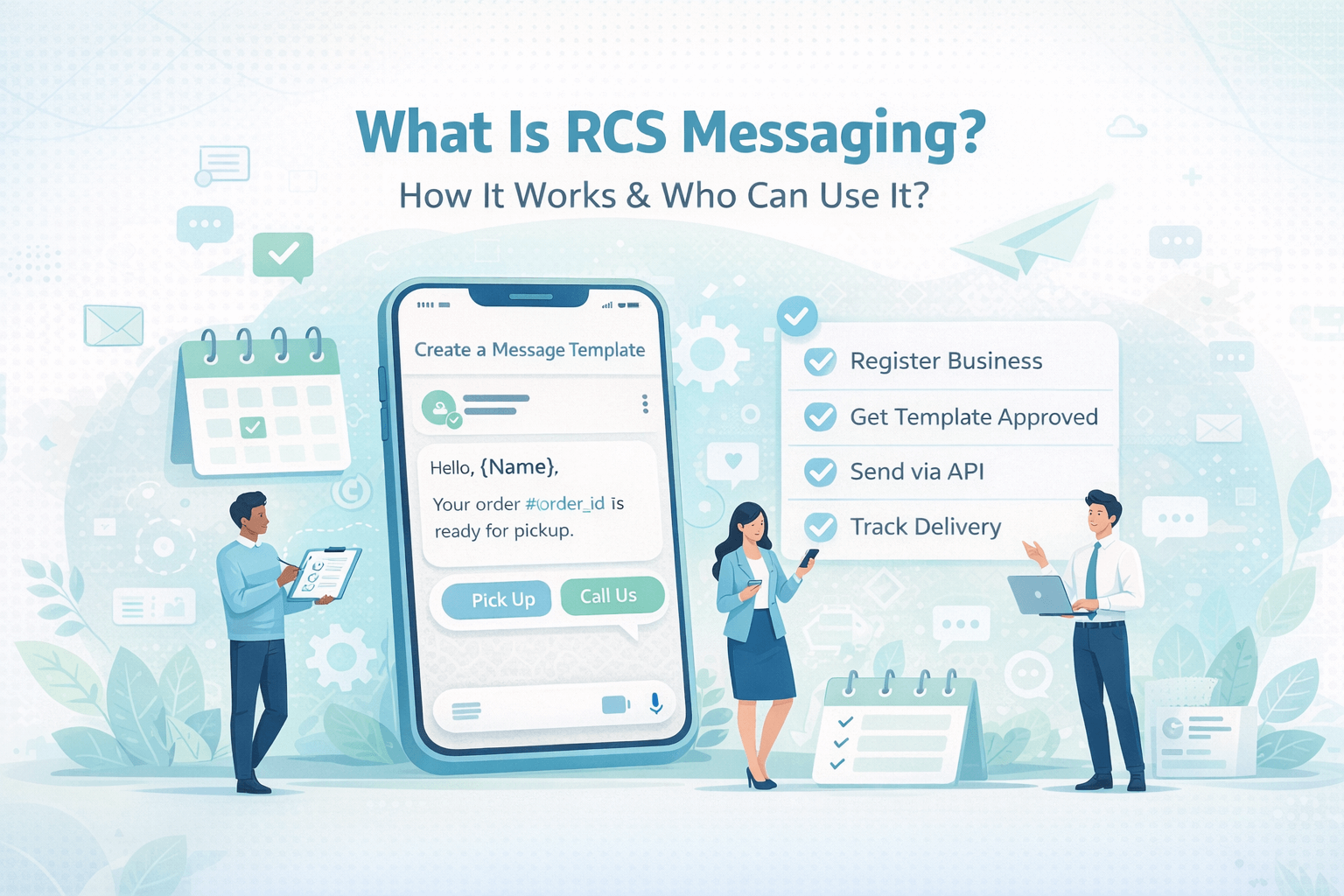
What Is RCS Messaging? How It Works & Who Can Use It
What is RCS messaging? Learn how Rich Communication Services works, who can use it, how to set it up, and why businesses and individuals are upgrading from SMS to RCS in 2026
You have
probably received one without realising what it was. A message that arrived
with your contact's photo showing, where you could see exactly when they read
it, where images loaded full-size inside the conversation rather than as blurry
thumbnails, where you could tap a single button to confirm an appointment or
track a delivery on a map — all without downloading an app. That is RCS. And in
2026, it is quickly becoming the default messaging standard for smartphones
around the world.
RCS stands for
Rich Communication Services. It is the upgrade to SMS — the plain-text
messaging standard that has barely changed since the 1990s — and it is built
directly into the phone's native messaging app. Not a separate application. Not
a service that requires a subscription or a sign-up. Just a better, smarter,
richer version of the messaging that was already on your phone, now available
on virtually every Android device globally and, since iOS 18, on iPhones too.
This guide answers every question you have about RCS — what it is, how it works technically, who can use it (both as a consumer and as a business), how to know if you already have it, how businesses send RCS messages, and what it means for the future of communication. Whether you are a complete beginner or an SME owner trying to decide if RCS is right for your business, everything you need to know is here.
|
6.5B RCS-Capable Devices Globally by End of
2025 |
95%+ Of Indian Smartphone Users on Android —
RCS-Ready |
60+ Countries With Active RCS Business
Messaging in 2026 |
|
3× Higher Open Rates vs Plain SMS |
2024 Year Apple Added RCS Support to iPhone
With iOS 18 |
1992 Year SMS Was Invented — RCS Is Its
First Real Upgrade |
SMS Was Great for 1992. RCS Is Built for 2026.
SMS — Short
Message Service — was invented in 1992. It was a remarkable technology for its
time: a way to send short text messages between mobile phones over the
telephone network. But SMS was designed for a world of Nokia 3310s and 2G
networks — not for the smartphone era of high-speed data connections,
high-resolution displays, and the expectation of app-like experiences on every
device.
RCS — Rich
Communication Services — is the industry standard developed to replace SMS with
a messaging experience that matches what people expect from modern
communication. It is defined by the GSMA (the international organisation
representing mobile network operators) and supported by Google, Apple, and the
major carriers worldwide as the universal successor to SMS. Think of RCS as SMS
grown up: the same underlying principle of carrier-delivered messaging between
phone numbers, but with an entirely modern feature set.
What Does RCS Actually Look Like?
When you
receive an RCS message — whether from a friend or from a business — it looks
dramatically different from an SMS. Images arrive full-size and in high
resolution. Videos play inline within the conversation. You can see when the
other person is typing. You can see when they have read your message. Replies
can be sent with a single tap on a suggested button rather than typing. And
when a business sends you an RCS message, it arrives with their verified logo,
brand name, and official badge — so you know instantly who it is from and that
it is legitimate.
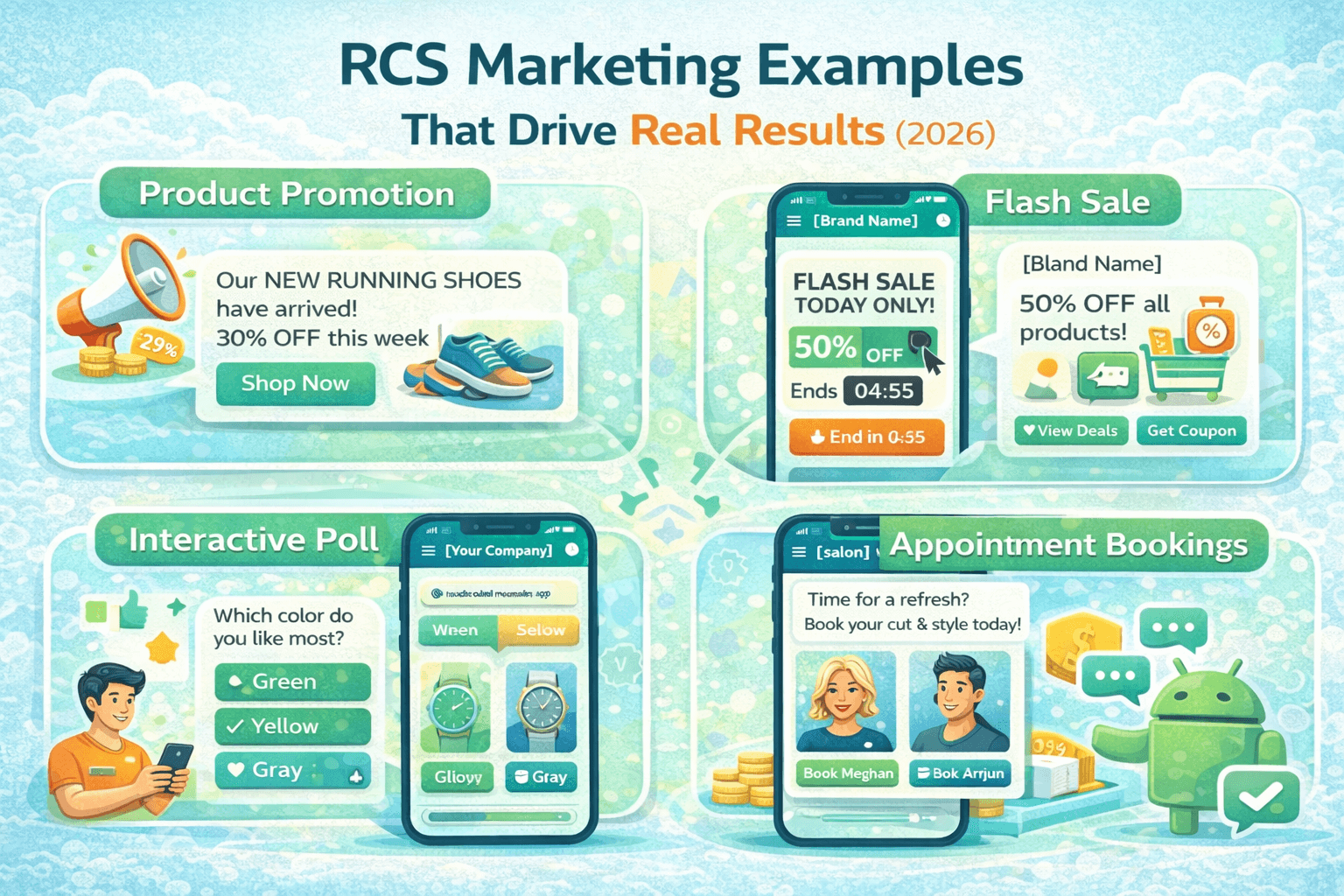
For business messages specifically, RCS enables carousels of product images that you can scroll through horizontally, action buttons that open a payment app, launch Google Maps, or deep-link to a specific page in a mobile app, and automated chatbot conversations that guide you through a booking, troubleshooting process, or purchase — all within the native Messages app, without opening a browser or downloading anything.
|
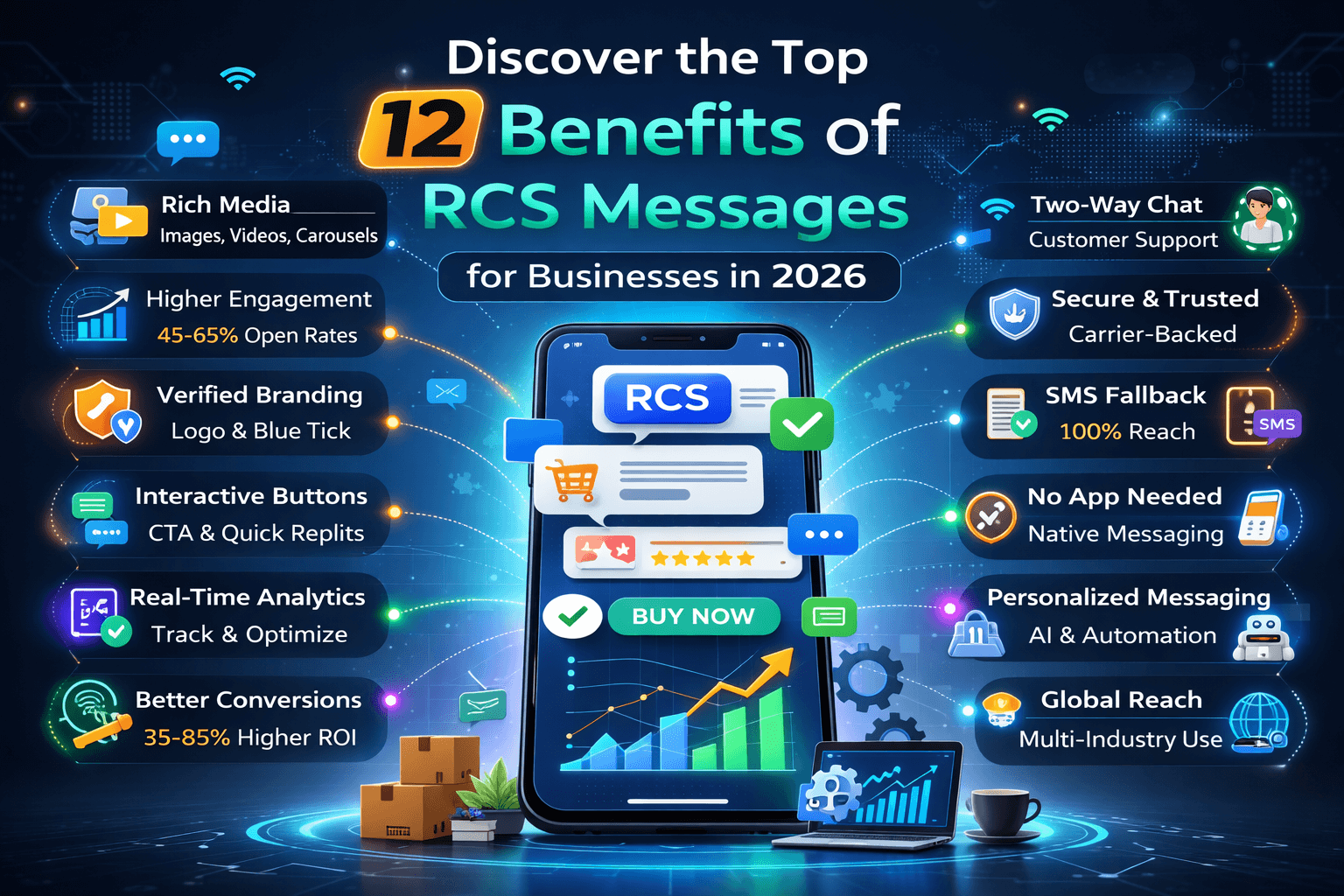
🖼️ Rich
Media Full-size
images, video, GIFs, audio, and documents — all delivered natively in the
messaging app |
|
✅ Verified
Sender Business
messages arrive with verified brand name, logo, and official badge — no
impersonation possible |
|
🔘
Interactive Buttons One-tap
suggested replies and call-to-action buttons for payments, calls, maps, and
app links |
|
👁️ Read
Receipts Real-time
confirmation when your message has been delivered and read — with exact
timestamps |
|
⌨️ Typing
Indicators Live typing
bubbles show when the other party is composing a reply — just like modern
chat apps |
|
🃏 Card
Carousels Horizontally
scrollable product or content cards with images, titles, descriptions, and
action buttons |
|
📊 Read
Analytics For businesses
— delivery, read, click, and conversion data for every message sent |
|
🔄 SMS
Fallback If RCS is not
supported on a device, the message automatically delivers as SMS — no gaps,
no failures |
2. How Does RCS Messaging Work? TheTechnical Explanation (Made Simple)
The Architecture Behind RCS
Understanding
how RCS works helps explain both its strengths and its current limitations.
Unlike SMS, which travels through the telephone network's signalling
infrastructure, RCS messages travel over an internet data connection (WiFi or
mobile data) — using the same kind of connectivity as email, WhatsApp, or any
web-based service. This is why RCS can carry rich media content that SMS
cannot: data connections have the bandwidth to deliver images and videos, while
the telephone signalling channel that carries SMS was only ever designed for
tiny text packets.
The RCS
infrastructure consists of three main components: the messaging client on the
user's device (Google Messages on Android, the built-in Messages app on iPhone
with iOS 18), the carrier's RCS server (which handles routing, delivery, and
read receipts), and the Google Jibe Hub (a centralised RCS interconnect
operated by Google that enables RCS messages to flow between different carriers
and countries). When you send an RCS message, it travels from your Messages app
to your carrier's RCS server, through the Jibe Hub if needed for cross-carrier
delivery, to the recipient's carrier's RCS server, and then to the recipient's
Messages app.
RCS for Business: How the Business Messaging Pathway Works
RCS Business
Messaging — the version used by companies to send messages to customers —
follows a slightly different pathway. Instead of using the same consumer RCS
infrastructure, businesses send their messages through a registered RCS
Business Messaging aggregator or platform (also called an RCS agent host). This
aggregator connects to the carrier infrastructure and Google's Business
Messaging platform, and provides the business with the tools to build message
templates, manage contacts, send campaigns, build chatbot flows, and receive
analytics. The customer experience on the receiving end is identical — a
beautifully branded, rich, interactive message arriving in their native
Messages app.
The 5-Step Journey of an RCS Business Message
|
1 |
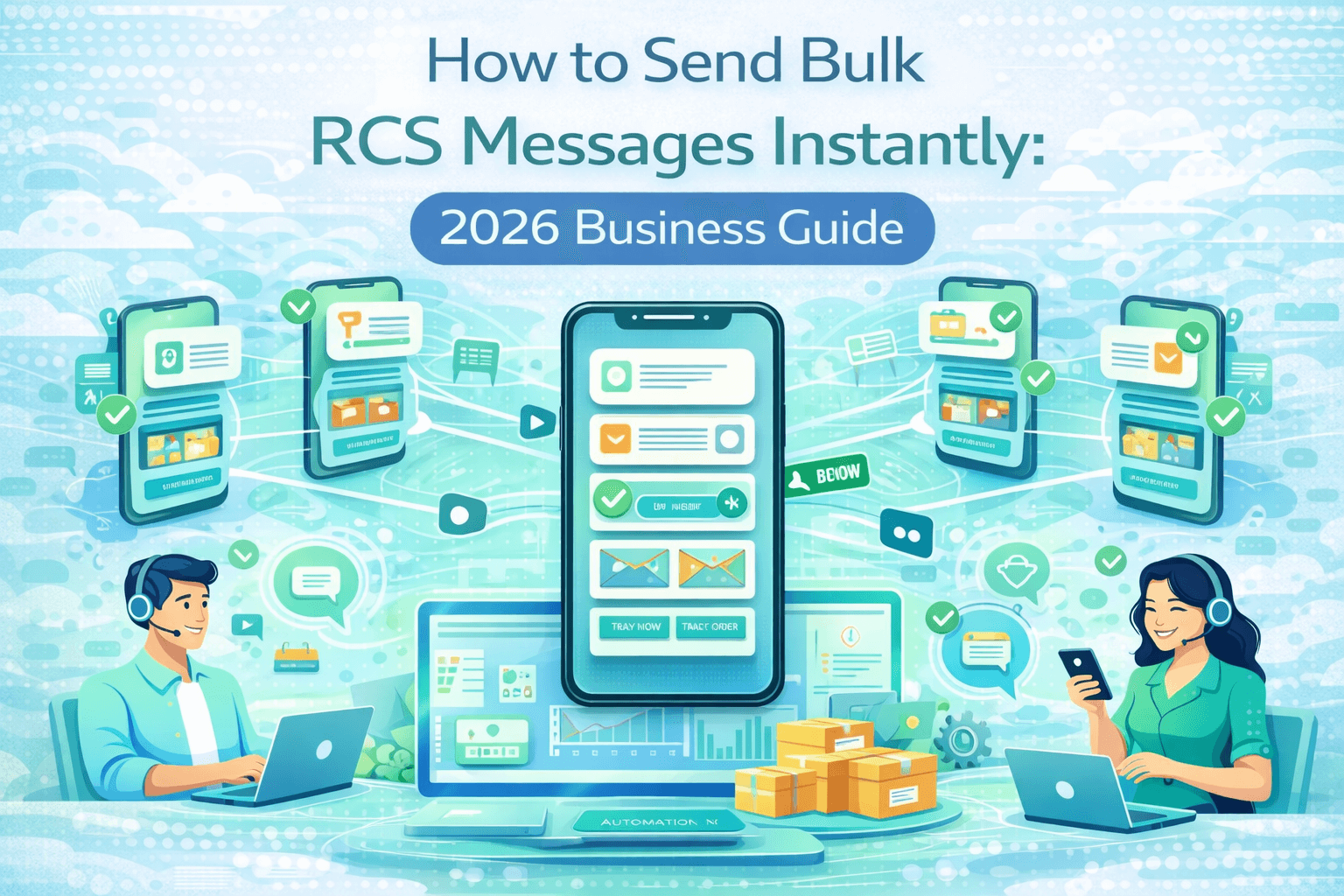
Business Creates the Message The business uses an RCS Business Messaging platform (like the
WABA Panel or another aggregator) to create a message — selecting a
pre-approved template, adding personalisation fields (customer name, order
details, relevant product), attaching any media (product image, brand logo,
video), and configuring any interactive buttons (Confirm, Pay Now, Get
Directions, Shop Now). |
|
2 |
Message Enters the Carrier Network The aggregator platform sends the message through to the
carrier's RCS infrastructure. If the recipient is on the same carrier as the
sender's aggregator, the message routes directly. If the recipient is on a
different carrier, the Google Jibe Hub handles the cross-carrier routing —
transparently, without any action required from the sender or recipient. |
|
3 |
Device Check — RCS or SMS? Before delivery, the infrastructure checks whether the
recipient's device supports RCS. If yes — the message is delivered in full
RCS format with all rich content intact. If no (the device is older, or the
carrier does not yet support RCS) — the message automatically falls back to
SMS delivery. This check happens automatically and instantly. |
|
4 |
Message Delivered to Native App The message arrives in the recipient's native Messages app —
Google Messages on Android, or the built-in Messages app on iOS 18+. No
third-party app needs to be open. No internet connection to a specific server
needs to be active. The message simply appears, with full branding, rich
content, and interactive elements ready to use. |
|
5 |
Read Receipts and Analytics Flow Back As the recipient opens the message, read receipts flow back to
the sender's platform in real time. Any button tap or link click generates a
corresponding analytics event. For businesses, this data is visible in the
campaign analytics dashboard — giving complete visibility of delivery,
engagement, and conversion for every message sent. |
Part A: Individual Consumers — Personal RCS Messaging
For individual
consumers, RCS is already available and likely already active on their device
without them having done anything to enable it. If you have an Android
smartphone running Google Messages as your default SMS app — which is the
default configuration on the vast majority of Android devices — and your mobile
carrier supports RCS (Jio, Airtel, Vi, and most major carriers worldwide do),
then you are already using RCS for your personal messages whenever you message
another RCS-enabled contact.
You can identify whether you are using RCS in a conversation by looking at the message send button and the message delivery indicators. In Google Messages, an active RCS conversation shows 'Chat' in the text input area rather than 'SMS', and delivered messages show a small read receipt indicator (a single tick for delivered, a coloured profile photo icon for read). If you see 'SMS' in the input area, either you or the recipient is not RCS-enabled for that conversation.
|
📱 ALREADY HAVE IT |
Android Smartphone Users — RCS Ready by Default If you have an Android phone with Google Messages as your
default messaging app and your carrier supports RCS — you already have RCS.
It is on by default on most modern Android devices. To check: open Google
Messages, tap your profile picture, tap 'Messages settings', then 'Chat
features'. If it shows 'Chat features on', you are already using RCS. You do
not need to do anything further — your conversations with other RCS-enabled
contacts are automatically upgrading to RCS. |
|
🍎 iOS 18+ |
iPhone Users (iOS 18 and Above) — RCS Now Supported Apple added RCS support in iOS 18, released in September 2024.
On an iPhone running iOS 18 or later, RCS messages between you and Android
users (and between you and other iPhone users on supported carriers) are
delivered as RCS rather than SMS — meaning you see read receipts, typing
indicators, and full-quality image sharing with Android contacts for the
first time. To enable: go to Settings > Apps > Messages > RCS
Messaging and ensure it is turned on. Note: iMessage conversations between
two iPhones continue to use iMessage, not RCS — RCS on iPhone primarily
improves cross-platform (iPhone-to-Android) messaging. |
|
📟 SMS FALLBACK |
Older Phone or Unsupported Carrier — SMS as Usual If your phone does not support RCS, or your carrier has not
yet activated RCS on their network, you simply continue receiving messages as
SMS — exactly as before. Nothing breaks. Nothing changes from your
perspective. Contacts who send you RCS messages will have them automatically
converted to SMS before delivery. The only difference is that you miss the
rich content — images may arrive as links, interactive buttons do not appear,
and read receipts are not available. As RCS adoption continues to grow, this situation
is becoming less common with every passing month. |
Part B: Businesses — Who Can Send RCS Business Messages?
On the business side, RCS Business Messaging is available to any registered business that meets the verification requirements — there is no size restriction that prevents small and medium businesses from using it. The key requirements are business registration and verification through a carrier-approved aggregator, message template registration (in markets like India, through the TRAI DLT system), and compliance with carrier messaging policies. The process is comparable to setting up a commercial SMS sending account, with additional verification steps for the richer capabilities.
|
🏢 ENTERPRISE |
Large Enterprises and Corporations Large enterprises — banks, telcos, e-commerce platforms,
insurance companies, airlines — were the first businesses to deploy RCS
Business Messaging at scale, and they continue to represent the highest
volume of RCS business messages sent globally. Their use cases include
transactional notifications (account alerts, payment confirmations, booking
updates), marketing campaigns (product carousels, seasonal offers, loyalty
programme communications), and customer service automation (chatbot-driven
query resolution, appointment management, delivery tracking). Enterprise RCS
deployments typically involve direct carrier integrations, custom aggregator
relationships, and significant investment in template design and chatbot
development. |
|
🏪 SMEs |
Small and Medium Businesses (SMEs) SMEs can access RCS Business Messaging through RCS-enabled
messaging platforms and aggregators — with pricing and setup complexity that
has become significantly more accessible in 2026. An Indian SME — a coaching
institute, a retail store, a logistics company, a healthcare clinic — can set
up RCS Business Messaging through a registered TRAI DLT aggregator, create
verified message templates, and start sending branded, rich business messages
to customers. The investment required is comparable to setting up commercial
SMS — and the performance improvement over plain SMS is immediate and
measurable. |
|
🛍️ D2C |
E-Commerce and D2C Brands E-commerce and direct-to-consumer brands are among the
highest-value RCS Business Messaging use cases — because the channel's visual
richness and interactive buttons directly address the fundamental challenge
of converting a notification into a purchase. Abandoned cart recovery
messages with product images and a 'Buy Now' button, flash sale announcements
with a product carousel, and order tracking notifications with a live map
link are all proven high-ROI RCS use cases for e-commerce brands of any size. |
|
🏥 SERVICES |
Healthcare, Education and Professional Services Service businesses — healthcare clinics, coaching institutes,
legal practices, financial advisors, property agencies — benefit from RCS's
combination of verified identity and interactive appointment management.
Appointment reminders with Confirm/Reschedule buttons, consultation booking
flows, document delivery with view action buttons, and feedback collection
with rating button responses all work exceptionally well in the RCS format
for service businesses. |
|
🏗️ B2B |
B2B Businesses and Agencies B2B businesses can use RCS Business Messaging for client
communication, project update notifications, invoice delivery with payment
action buttons, event invitations, and lead nurturing sequences. While B2B
communication in India is heavily WhatsApp-based for conversational
messaging, RCS adds a professional, branded transactional messaging
capability that supplements conversational channels — particularly for formal
communications that benefit from the verified sender badge and read receipt
analytics. |
One of the most common questions about RCS is how it relates to the messaging channels people already use — particularly SMS and WhatsApp. Here is the honest positioning:
|
Feature |
SMS |
RCS |
WhatsApp Business |
|
App
required |
None |
None — native app |
Yes — must install |
|
Opt-in
needed |
Not required |
Not required |
Explicit opt-in |
|
Rich media |
❌ No |
✅ Full support |
✅ Full support |
|
Verified
sender |
❌ No |
✅ Yes |
✅ Green tick |
|
Interactive
buttons |
❌ No |
✅ Yes |
✅ Yes |
|
Read
receipts |
❌ No |
✅ Yes |
✅ Yes |
|
End-to-end
encryption |
❌ No |
❌ Not by default |
✅ Yes |
|
In-chat
payments |
❌ No |
Limited |
✅ WhatsApp Pay (UPI) |
|
SMS
fallback |
It is SMS |
✅ Auto-fallback |
❌ No fallback |
|
Open rate |
20–30% |
45–65% |
98% (opt-in) |
|
DLT
required (India) |
✅ Yes |
✅ Yes |
❌ No — Meta framework |
For Individuals: How to Check and Enable RCS on Your Phone
|
📱 |
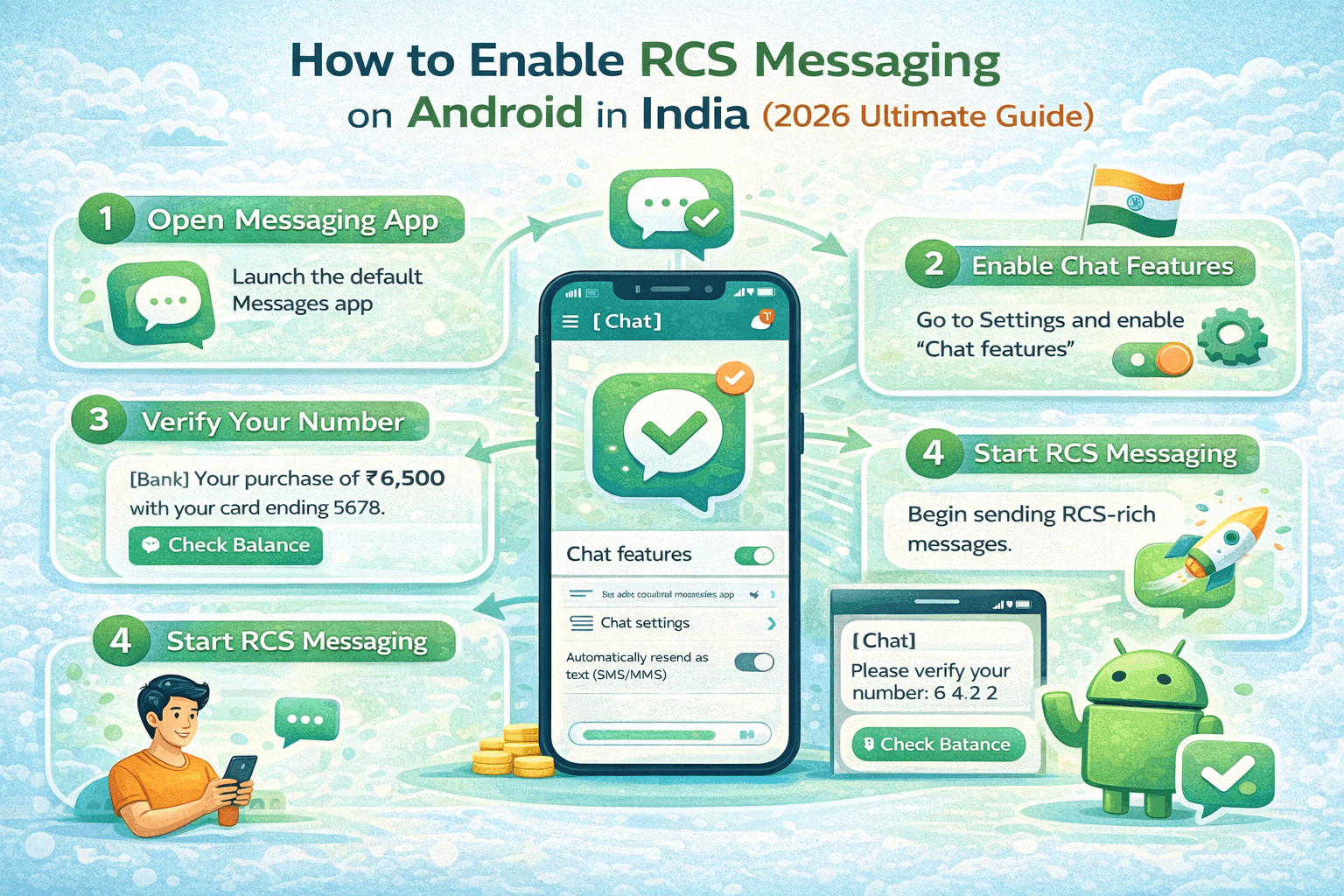
Android Users — Check If RCS Is Active Open Google Messages. Tap your profile photo (top right). Go
to 'Messages settings' → 'Chat features'. If you see 'Chat features on' — you
are already using RCS. If you see 'Chat features off' — tap to enable. Your
carrier must support RCS for this to work (Jio, Airtel, and Vi in India all
support RCS). Once enabled, conversations with other RCS-enabled contacts
will automatically upgrade — you will see 'Chat' in the message input box
instead of 'SMS'. |
|
🍎 |
iPhone Users (iOS 18+) — Enable RCS Go to Settings → Apps → Messages → RCS Messaging. Toggle it
on. Your carrier must also support RCS on iPhone. Once enabled, messages to
Android users and cross-carrier messages will use RCS where supported —
giving you read receipts, typing indicators, and full-quality image sharing
with Android contacts for the first time. iMessage conversations between two
iPhones are unaffected and continue to use iMessage. |
|
🔍 |
How to Know If an Active Conversation Is RCS In Google Messages on Android: if the message composition box
says 'Chat message' (not 'SMS message'), you are in an RCS conversation. Sent
messages show a small indicator — a single tick means delivered, a coloured
profile thumbnail means read. In the conversation details, you may also see
'Connected via [carrier] RCS'. On iPhone: RCS messages to Android users
appear with grey bubbles (not the green SMS bubbles or blue iMessage bubbles)
and show read receipts. |
For Businesses: How to Set Up RCS Business Messaging
|
1 |
Register on TRAI DLT (India) or Equivalent Regulatory
Platform In India, all commercial RCS Business Messaging requires
registration on the TRAI Distributed Ledger Technology (DLT) platform — the
same system that governs commercial SMS. You need to register your business
entity, your sender ID (the brand name that will appear with your messages),
and every message template you plan to send, before you can go live. Work
with a TRAI-registered RCS aggregator to guide you through the DLT
registration process. Typical processing time: 5 to 10 business days. |
|
2 |
Choose an RCS Business Messaging Aggregator or Platform An aggregator is the company that connects your business to
the carrier RCS infrastructure and provides the tools for creating, sending,
and analysing RCS messages. Evaluate aggregators on: message builder
capability (does it support carousels, all button types, rich media), chatbot
integration, analytics quality, carrier coverage in your markets, pricing
structure, CRM and API integration options, and the quality of their DLT
compliance support for India deployments. |
|
3 |
Create and Register Your Brand Profile Your RCS brand profile is the visual identity that appears
with every message you send — your business name (as it will appear to
recipients), your brand logo (displayed alongside every message), and your
brand colour. This profile must be verified by the carrier infrastructure
before your messages can go live with full branding. The verification process
confirms that you are the legitimate business you claim to be — preventing
brand impersonation and earning the verified badge that builds recipient trust. |
|
4 |
Build and Register Your Message Templates Create the message templates you plan to use — transactional
notifications (order confirmations, appointment reminders, delivery alerts),
promotional messages (offers, product launches, loyalty updates), and
interactive flows (booking flows, feedback collection, chatbot entry points).
In India, all templates must be registered and approved on the TRAI DLT
platform. Outside India, templates are approved through the aggregator's
carrier relationships. |
|
5 |
Integrate With Your Business Systems Connect your RCS Business Messaging platform to your existing
business systems — your CRM for customer data and conversation history, your
order management system for real-time order data in notification messages,
your helpdesk for customer service conversations, and any other data sources
needed to personalise and contextualise your RCS messages. Most RCS platforms
provide REST API access for custom integrations alongside pre-built
connectors for popular business tools. |
|
6 |
Test, Launch, and Optimise Send your first RCS campaign to a small test segment — ideally
comparing RCS performance directly against your current SMS baseline for the
same message type. Monitor delivery rates, read rates, and conversion rates
from day one. Use the data to identify which message formats and interactive
elements are driving the best results, and continuously optimise your
templates and flows based on real performance data. |
Why India Is One of the World's Most Important RCS Markets
India occupies
a unique position in the global RCS landscape. With over 95% of its smartphone
market on Android — the platform where RCS is most mature and most widely
deployed — India has one of the most favourable device compatibility profiles
for RCS in the world. Jio, Airtel, and Vi (Vodafone Idea) all support RCS
Business Messaging. Google has invested significantly in driving RCS adoption
in India through the Google Messages app. And the sheer scale of the Indian
market — over 700 million smartphone users — makes it one of the
highest-priority markets for global RCS platform development.
DLT Registration for RCS Business Messaging in India
The most
important India-specific factor for businesses looking to use RCS is the TRAI
DLT framework. In India, all commercial messaging — whether SMS or RCS — must
comply with the Telecom Commercial Communications Customer Preference
Regulations (TCCCPR) 2018, administered through the DLT platform. This means
every business sending commercial RCS messages in India must register their
entity, sender ID, and message templates on the DLT platform before sending.
This is the same process as SMS compliance — and for businesses already
operating under the DLT framework for SMS, adding RCS is a natural extension of
their existing compliance infrastructure.
RCS vs WhatsApp for Indian Businesses — The Practical Positioning
India is simultaneously one of the world's largest WhatsApp markets (500M+ users) and one of the world's most favourable Android-majority markets for RCS. This means Indian businesses can effectively reach their entire smartphone customer base through one or both channels. For businesses that primarily need high-volume transactional messaging — OTP delivery, order notifications, appointment reminders at scale — RCS per-message pricing through a DLT-compliant aggregator is often more cost-efficient than WhatsApp's per-conversation pricing. For businesses where conversational engagement, product catalog sharing, in-chat UPI payments, and deep customer relationships are the primary goal — WhatsApp Business API remains the stronger single-channel investment. For businesses where both types of communication are important — using both channels is the optimal strategy.
Is RCS safe and private?
RCS Business
Messages — the version businesses send to customers — are not end-to-end
encrypted by default in 2026. Messages travel through carrier infrastructure
and aggregator platforms where the content may be accessible to multiple
parties in the delivery chain. This is the same situation as SMS, so it is not
a regression from current practice — but it is an important distinction from
WhatsApp, which uses end-to-end encryption for all messages. For most
transactional messaging use cases — appointment reminders, order notifications,
shipping alerts — this is not a significant concern. For communications
involving highly sensitive personal data, encryption considerations should
inform your channel choice.
Does RCS cost more than SMS?
For businesses,
RCS Business Messaging is typically priced on a per-message basis by
aggregators — at rates comparable to or slightly above premium SMS pricing,
depending on the message type (basic RCS text, rich card, or carousel) and the
aggregator. The cost per message is higher than basic SMS in absolute terms,
but the higher engagement and conversion rates of RCS messages typically
produce better cost-per-conversion economics — meaning businesses pay slightly
more per message and get significantly more commercial outcome per rupee spent.
For individual consumers, sending and receiving RCS messages is free — it uses
your data connection, but there is no per-message charge from carriers.
Can I use RCS without WiFi or mobile data?
RCS requires an
internet data connection (WiFi or mobile data) to send and receive messages,
because it travels over the internet protocol rather than the telephone
signalling channel used by SMS. If you are in a location with no data
connection, RCS messages will not be sent or received in real time — they will
queue and deliver once connectivity is restored. If your RCS message cannot be
delivered (for example, because the recipient has no data connection and no SMS
fallback is configured), the message will wait for the recipient to come
online. For business messages with SMS fallback enabled, the message will
convert to SMS and attempt carrier delivery via the telephone network instead.
Does RCS replace WhatsApp?
No — at least not in India in 2026. WhatsApp has 500 million active users in India with deeply embedded daily habits and a strong business feature set including WhatsApp Pay. RCS has broader reach (no separate app install required) but is still growing in terms of active business messaging usage. The two channels are best understood as complementary: RCS excels at high-volume, carrier-delivered, transactional and promotional messaging where no opt-in barrier is needed. WhatsApp excels at conversational, opted-in customer engagement where the app's ubiquity and feature depth create a superior experience for relationship building, sales conversion, and ongoing customer support.
Frequently Asked Questions — What Is RCS Messaging?
Q: What is RCS messaging
in simple terms?
A: RCS stands for Rich Communication Services. It is the
upgrade to SMS — the text messaging standard that has been on phones since the
1990s. RCS delivers the same universal carrier-based messaging as SMS but with
modern features: full-size images, videos, read receipts, typing indicators,
interactive buttons, and branded business sender profiles. It works on the
phone's native messaging app (Google Messages on Android, Messages on iPhone
with iOS 18+) and does not require any separate app installation.
Q: Do I already have RCS
on my phone?
A: If you have an Android phone with Google Messages as
your default messaging app and your carrier supports RCS (Jio, Airtel, and Vi
all do in India), then RCS is likely already active on your device. Check by
opening Google Messages, tapping your profile photo, going to 'Messages
settings' → 'Chat features', and confirming that 'Chat features' shows as on.
On iPhone, RCS is available on iOS 18 and later — enable it in Settings → Apps
→ Messages → RCS Messaging.
Q: What is the difference
between RCS and SMS?
A: SMS is plain text only, limited to 160 characters,
with no images, no read receipts, no interactive buttons, and no sender
branding. RCS supports rich media (images, video, GIFs), unlimited message
length, real-time read receipts, typing indicators, interactive reply and
action buttons, verified business sender profiles, and full analytics for
business messages. RCS achieves open rates of 45–65% compared to 20–30% for
SMS, and conversion rates 35–85% higher for equivalent business messages.
Q: Who can use RCS
Business Messaging?
A: Any registered business can use RCS Business Messaging
— from large enterprises to small businesses. The requirements are business
registration and verification through a carrier-approved aggregator, message
template registration (through TRAI DLT in India), and compliance with carrier
messaging policies. There is no minimum size requirement — an SME with a
customer database of a few thousand contacts can access RCS Business Messaging
through the same aggregator platforms as a large enterprise, at pricing
appropriate for their volume.
Q: Is RCS free to use?
A: For individual consumers, receiving RCS messages is
free — it uses your data connection but there is no per-message charge. Sending
personal RCS messages between contacts is also free (using data). For
businesses, RCS Business Messaging is charged on a per-message basis by
aggregators — at rates typically ranging from ₹0.01 to ₹0.05 per message
depending on message type and volume. This is broadly comparable to premium SMS
pricing, with significantly better performance outcomes.
Q: Does RCS work on
iPhone?
A: Yes, since iOS 18, iPhones support RCS. When an iPhone
user with iOS 18+ messages an Android contact (or when a business sends an RCS
message to an iPhone user), the message is delivered as RCS rather than SMS —
with read receipts, typing indicators, and full-quality image sharing. Note
that iMessage conversations between two iPhones continue to use iMessage, not
RCS — RCS on iPhone primarily improves cross-platform messaging with Android
users and business messaging.
Q: How do businesses
register to send RCS messages in India?
A: In India, businesses must register on the TRAI DLT (Distributed Ledger Technology) platform to send commercial RCS messages — the same regulatory framework governing commercial SMS. The registration process involves: registering your business entity on the DLT platform, creating and registering your sender ID (the brand name that will appear with your messages), and registering every message template before it is used. Work with a TRAI-registered RCS aggregator who will guide you through the DLT registration process and connect your messages to the carrier RCS infrastructure.
Conclusion — RCS Is the Future of Mobile
Messaging, Arriving Right Now
RCS is not a
distant future technology. It is active today on the vast majority of Android
smartphones globally, on iPhones running iOS 18 and above, on every major
Indian carrier network, and in the messaging habits of billions of people who
are already experiencing richer, more interactive conversations without
necessarily knowing that RCS is the technology enabling them.
For
individuals, the transition to RCS is largely invisible — it happens in the
background as your phone's messaging app upgrades your conversations
automatically. You simply notice that messages look better, that images are
sharper, that you can see when someone has read what you sent, that
conversations with businesses feel more professional and more useful.
For businesses,
the transition to RCS is a deliberate, strategic upgrade that requires
registration, platform selection, and template creation — but delivers
immediate, measurable commercial improvements over the plain SMS communications
it replaces. Higher open rates. Higher conversion rates. Lower customer service
contact rates. Better brand experience. And the growing realisation among
Indian consumers that a verified, visually rich message from a business they
trust is worth reading and acting on.
The question for every business still sending plain SMS in 2026 is not whether RCS is ready for them. It is whether they are ready to capture the engagement and conversion improvements that RCS makes available — and how much revenue they are leaving on the table with every plain text SMS they continue to send in its place.